
Challenge No. 16: Provide a formula to list all bird names which appear immediately before and after SELECT in range A2:A20.
Solved using: Python in Excel.

Assigns names to values or calculations to simplify formulas in Excel.
Challenge No. 16: Provide a formula to list all bird names which appear immediately before and after SELECT in range A2:A20.
Solved using: Python in Excel.

Challenge No. 15: Find the text of string following the last numeric digit in a string.
Solved using: Python in Excel.

Challenge No. 14: Provide a formula to find the difference between sum of right diagonal and sum of left diagonal.
Solved using: Python in Excel.
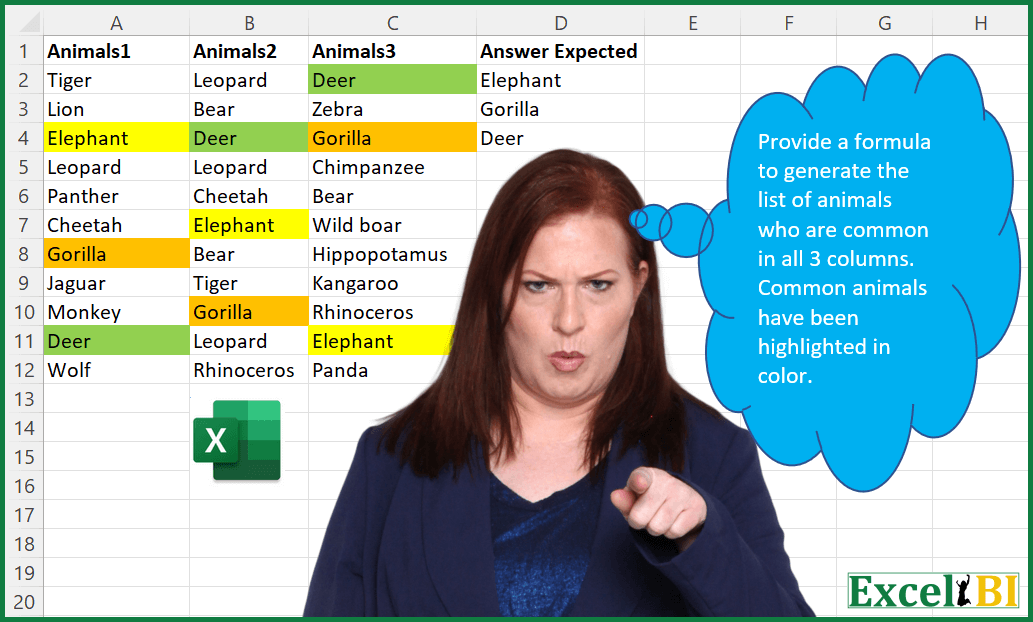
Challenge No. 13: Provide a formula to generate the list of animals who are common in all 3 columns.
Solved using: Python in Excel.
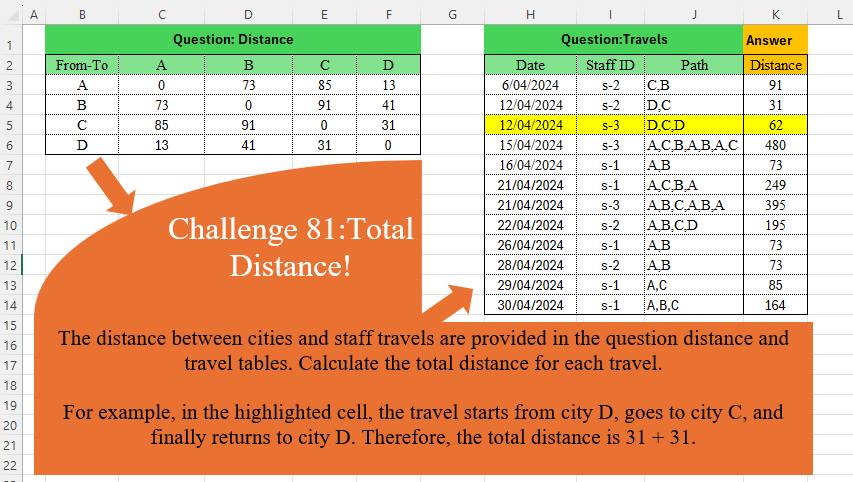
Challenge No. 81: The distance between cities and staff travels are provided in the question distance and travel tables.
Solved using:Excel (DROP, IFNA, INDEX), Power Query (Table.AddColumn), Python, and R.
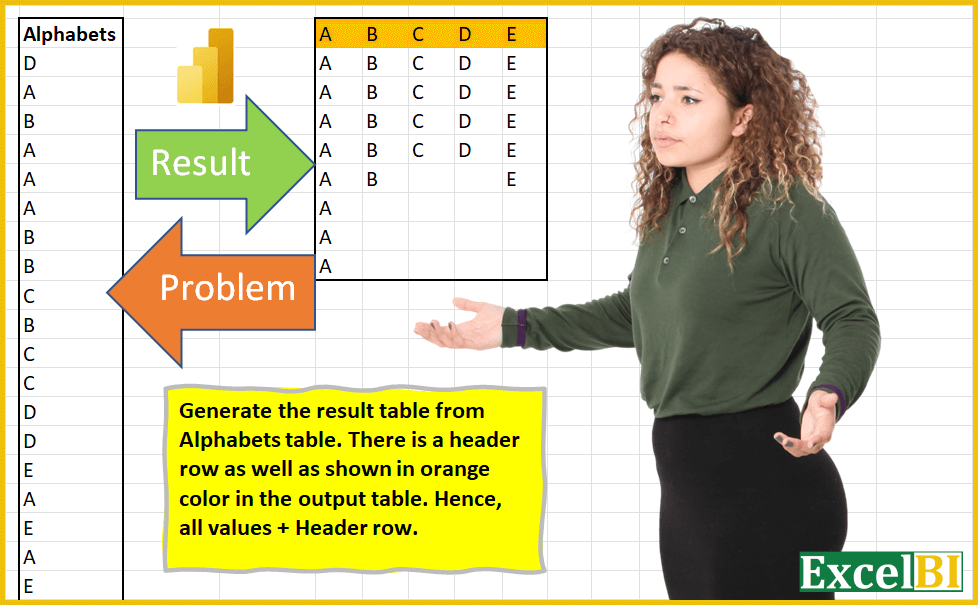
Challenge No. 3: (Excel formulas also welcome)
Generate the result table from Alphabets table.
Solved using: Power Query (List.Distinct).
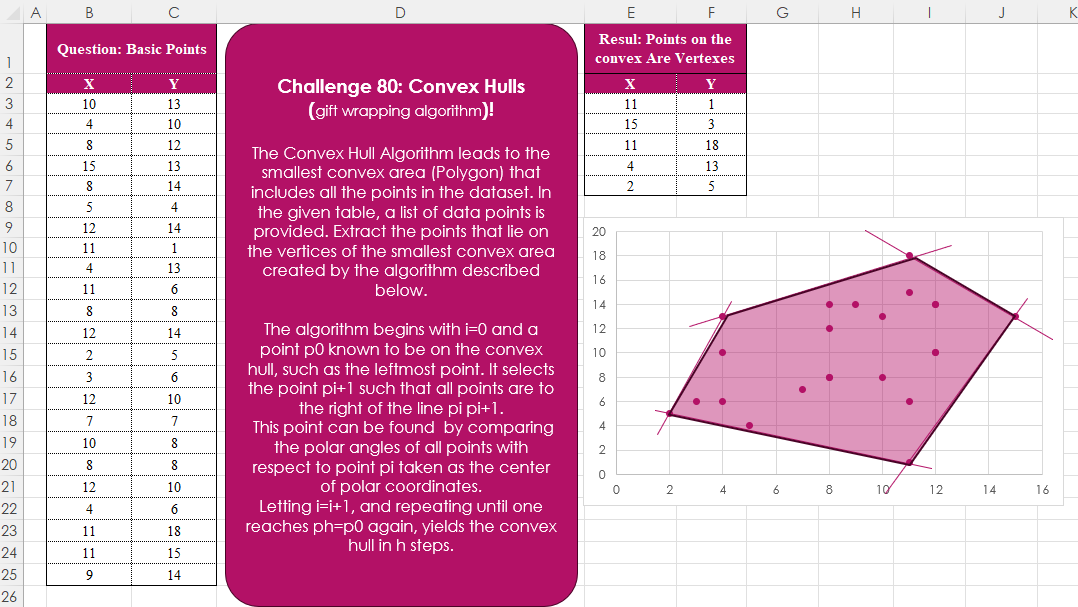
Challenge No. 80: The Convex Hull Algorithm leads to the smallest convex area (Polygon) that includes all the points in the dataset.
Solved using:Excel, Python, and R.
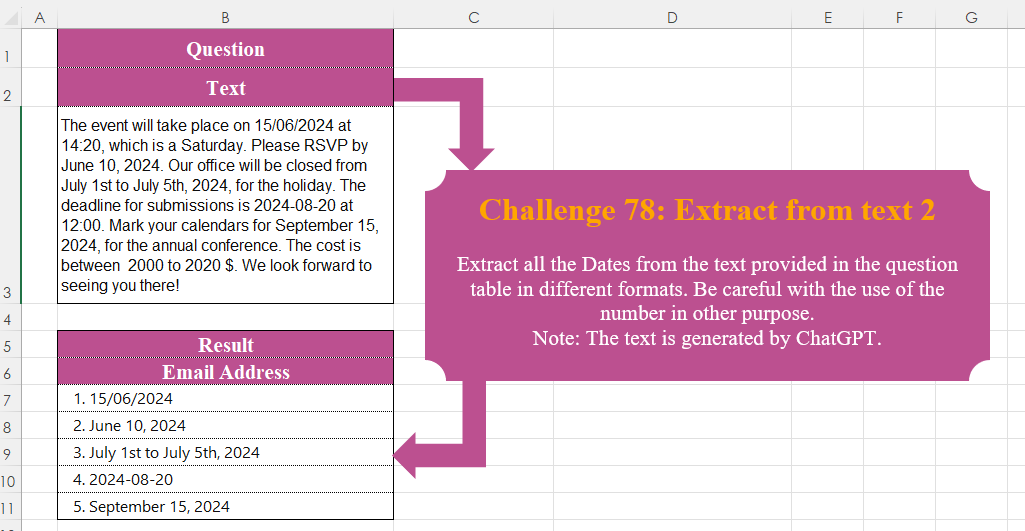
Challenge No. 78: Extract all the Dates from the text provided in the question table in different formats.
Solved using:Excel, Power Query, Python, R, and VBA.

Challenge No. 77: Create a formula to receive a number n as input and generate a rhombus with a diameter equal to n using “*” characters.
Solved using:Excel (DROP, IF, LAMBDA), Power Query (List.Transform), Python, R, and VBA.

Challenge No. 76: In challenge 58, we aimed to find an efficient way to calculate the stepped tax based on the tax rates presented in the question table.
Solved using:Excel (IFERROR, INDEX, LAMBDA), Power Query (Table.AddColumn), Python, Python in Excel, and R.