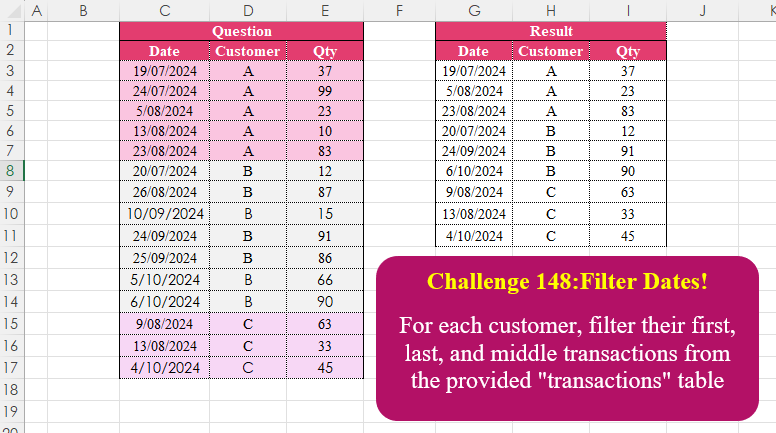
Challenge No. 148: For each customer, filter their first, last, and middle transactions from the provided “transactions” table.
Solved using:Excel (CHOOSEROWS, DROP, FILTER), Google Sheets, Power Query (Table.Combine, Table.Group), Python, Python in Excel, and R.
LET
Assigns names to values or calculations to simplify formulas in Excel.
Count Stepping Numbers
Challenge No. 238: Stepping Number is that number where adjacent digits have the difference of 1 or -1.
Solved using: Python in Excel.
Unique Names with Sequence
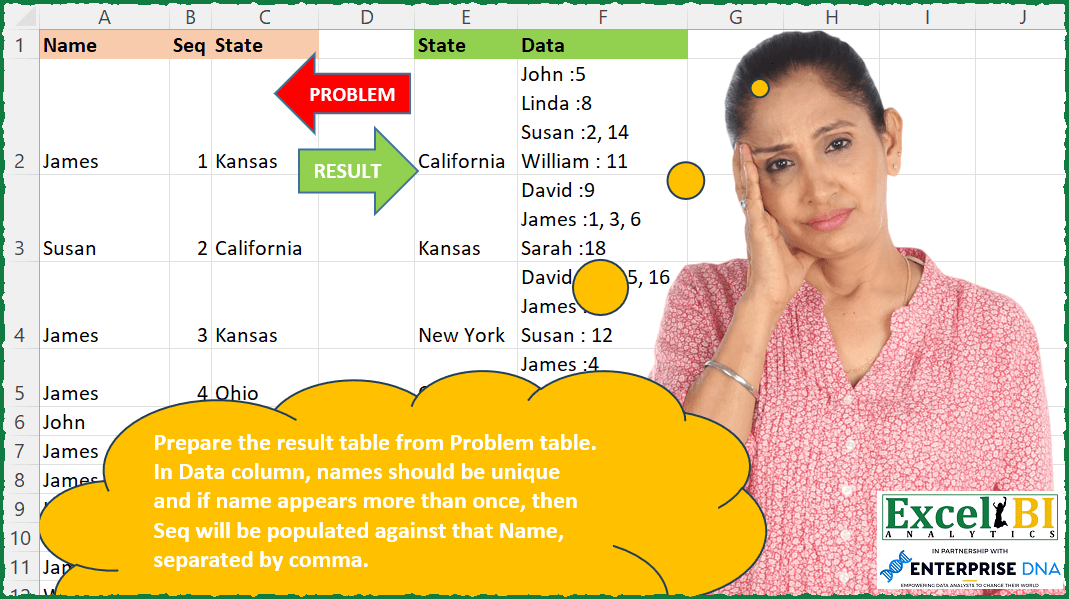
Challenge No. 237: Prepare the result table from Problem table.
Solved using: Power Query.
Table Transformation! Part 16
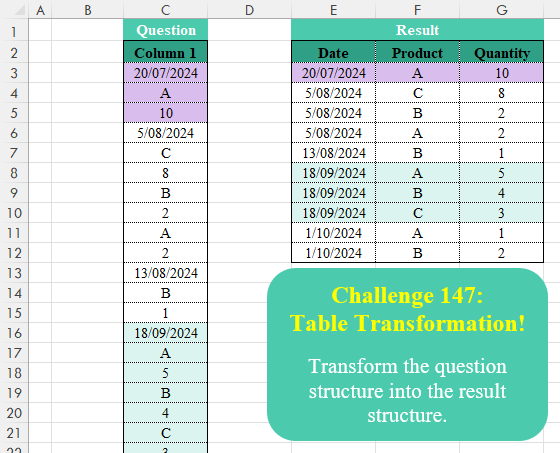
Challenge No. 147: Transform the question structure into the result structure.
Solved using:Excel (FILTER, HSTACK, IF), Google Sheets, Power Query (List.Skip, List.Split, Table.AddColumn), Python, Python in Excel, R, and VBA.
Sum Groups Separated by Blanks
Challenge No. 75: Groups are separated by blank rows in Problem table.
Solved using: Python in Excel.
Incremental Caesar Cipher
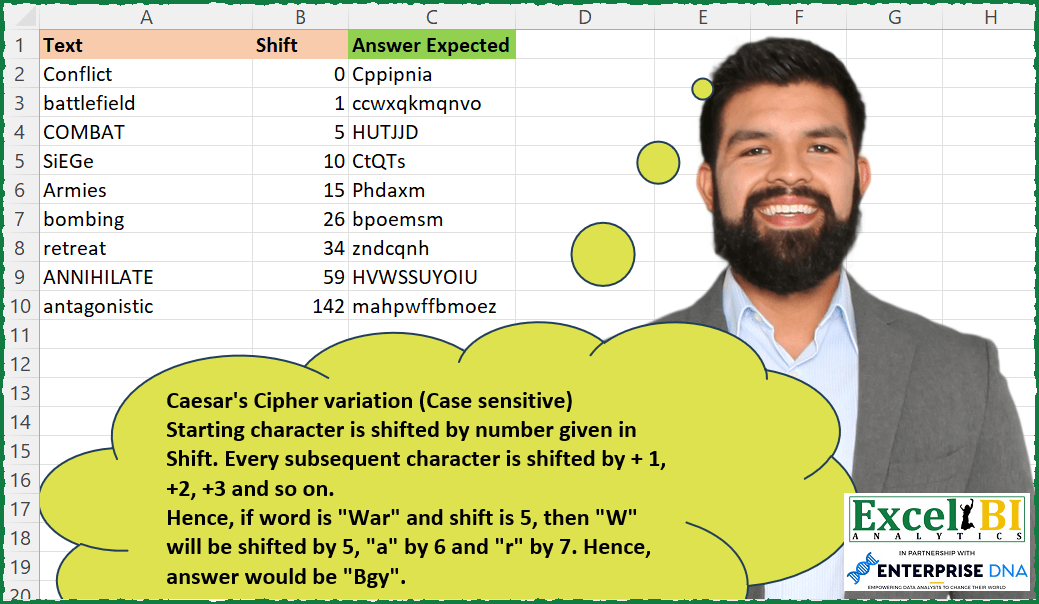
Challenge No. 236: We had 3 challenges on Caesar’s Cipher (if you are unaware about Caesar’s Cipher, I will encourage you to visit previous challenge to get an idea)
This is a variation of Caesar’s Cipher.
Solved using: Power Query (List.Transform).
Group Text by Keyword
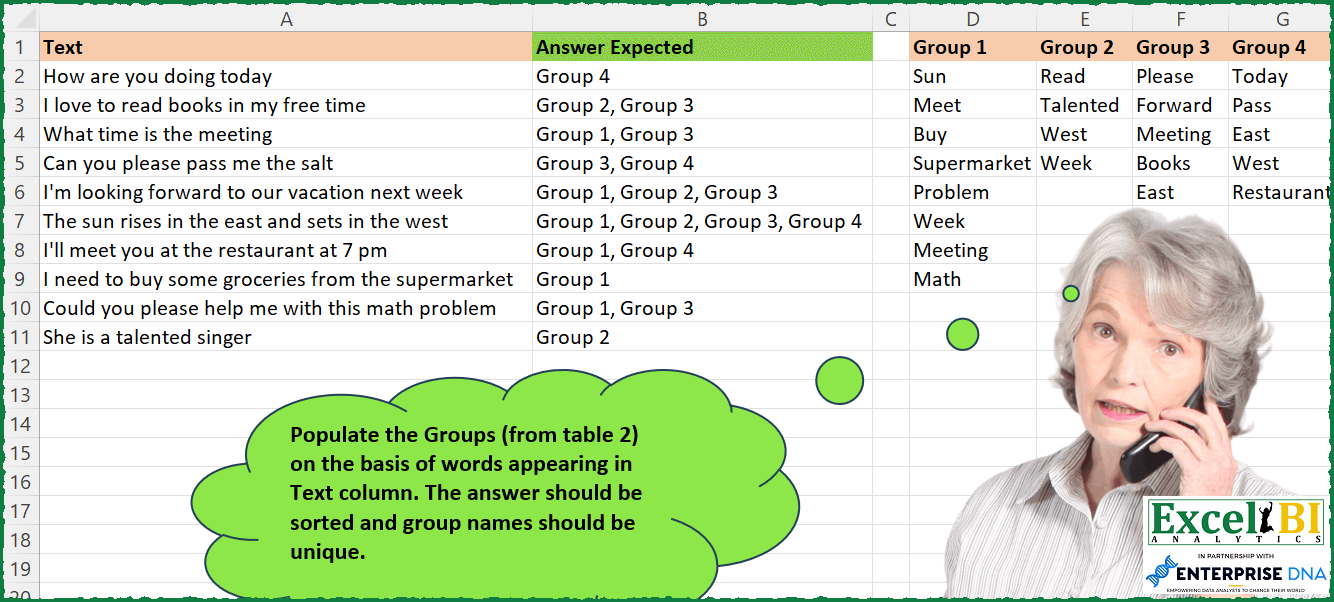
Challenge No. 235: Populate the Groups (from table 2) on the basis of words appearing in Text column.
Solved using: Power Query.
Column Splitting! Part 2
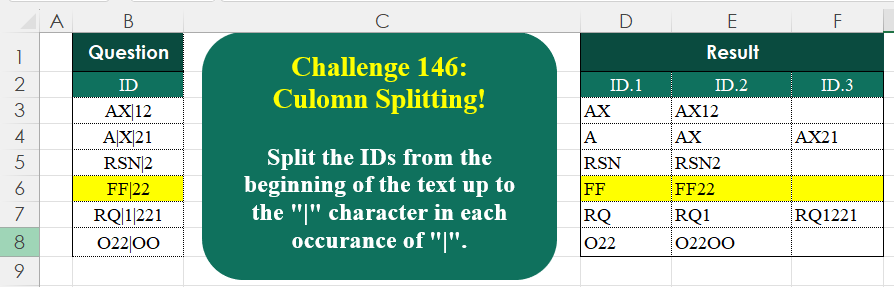
Challenge No. 146: Split the IDs from the beginning of the text up to the “|” character in each occurrence of “|”.
Solved using:Excel (IFNA, LAMBDA, LEN), Google Sheets, Power Query (List.Transform, Text.Combine, Text.Split), Python, Python in Excel, R, and VBA.
Divisible by Each Digit
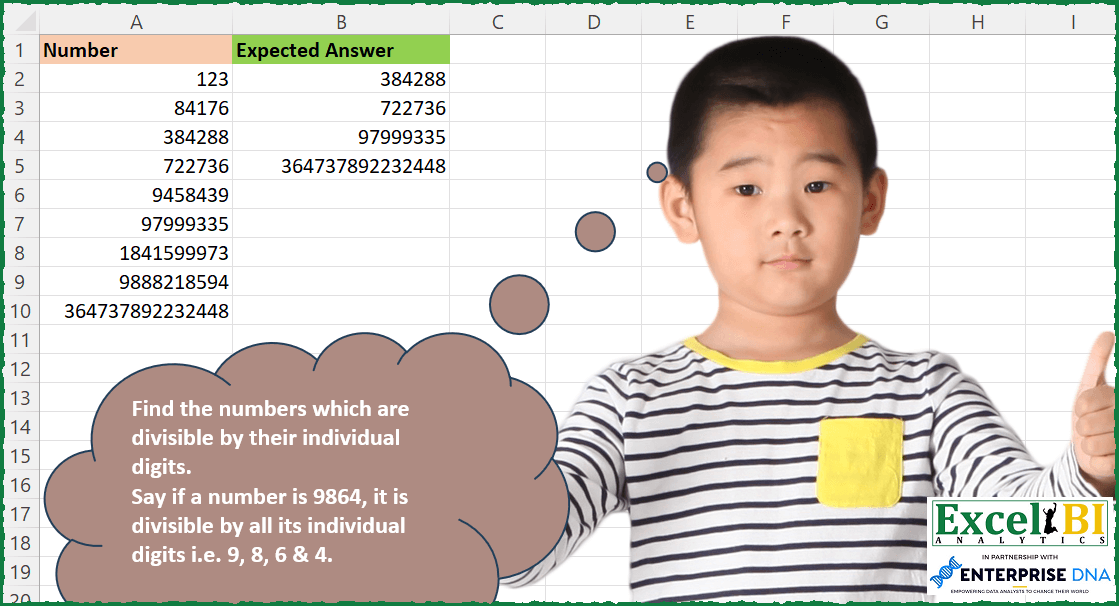
Challenge No. 234: Find the numbers which are divisible by their individual digits.
Solved using: Python in Excel.
Validate Multi-Word Names
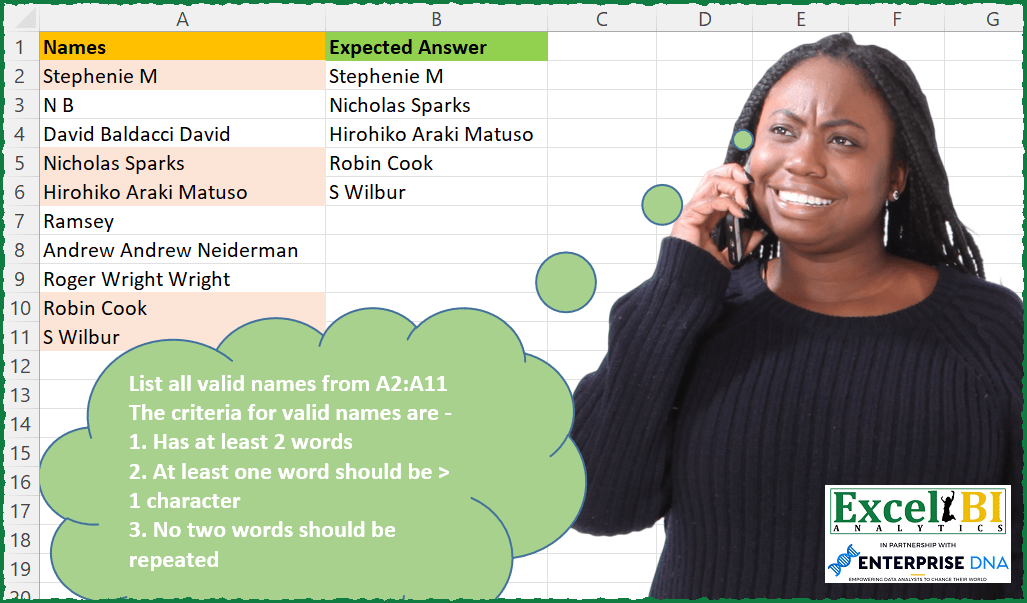
Challenge No. 233: List all valid names from A2:A11
The criteria for valid names are –
1.
Solved using: Power Query.