
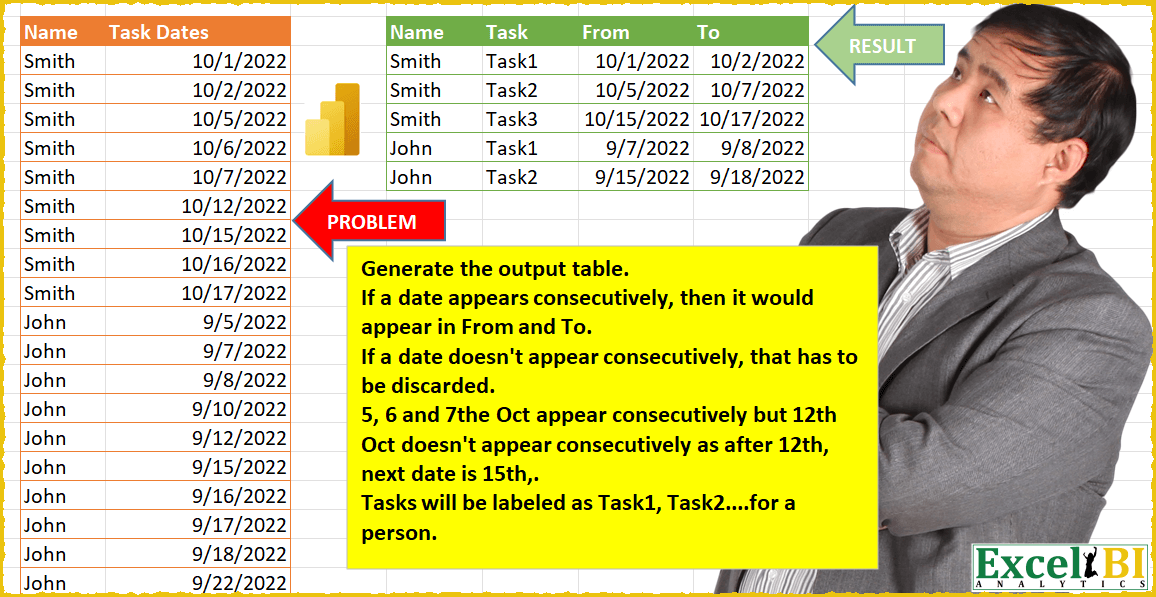
Challenge No. 17: (Excel formulas also welcome)
Generate the output table.
Solved using: Power Query.
Creates custom reusable functions in Excel.
Challenge No. 17: (Excel formulas also welcome)
Generate the output table.
Solved using: Power Query.
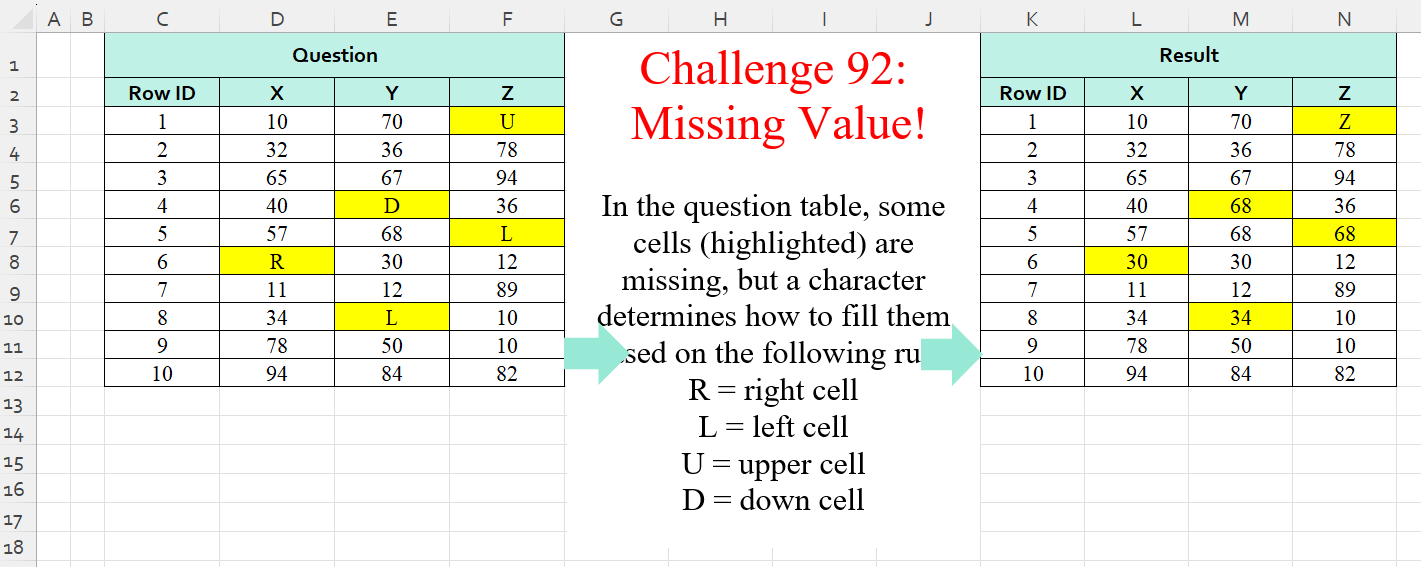
Challenge No. 92: In the question table, some cells (highlighted) are missing, but a character determines how to fill them based on the following rule:
R = right cell
L = left cell
U = upper cell
D = down cell.
Solved using:Excel (IF, IFS, INDEX), Power Query (List.PositionOf, List.Transform), Python, Python in Excel, and R.
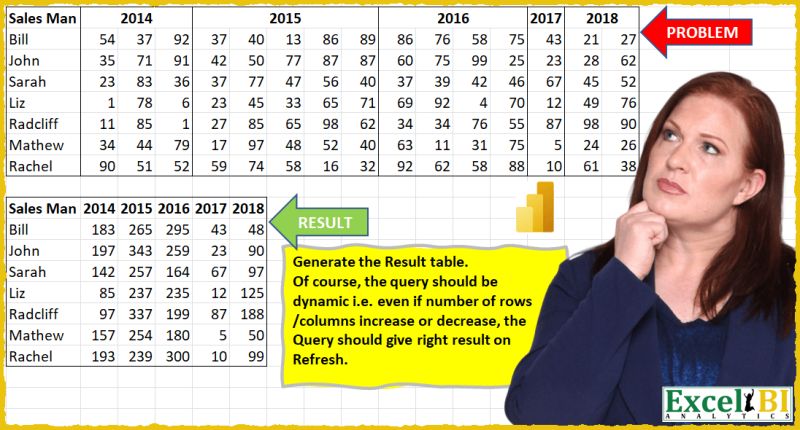
Challenge No. 16: (Excel formulas also welcome)
Generate the Result table shown.
Solved using: Power Query (List.Distinct, Table.Pivot, Table.PromoteHeaders).
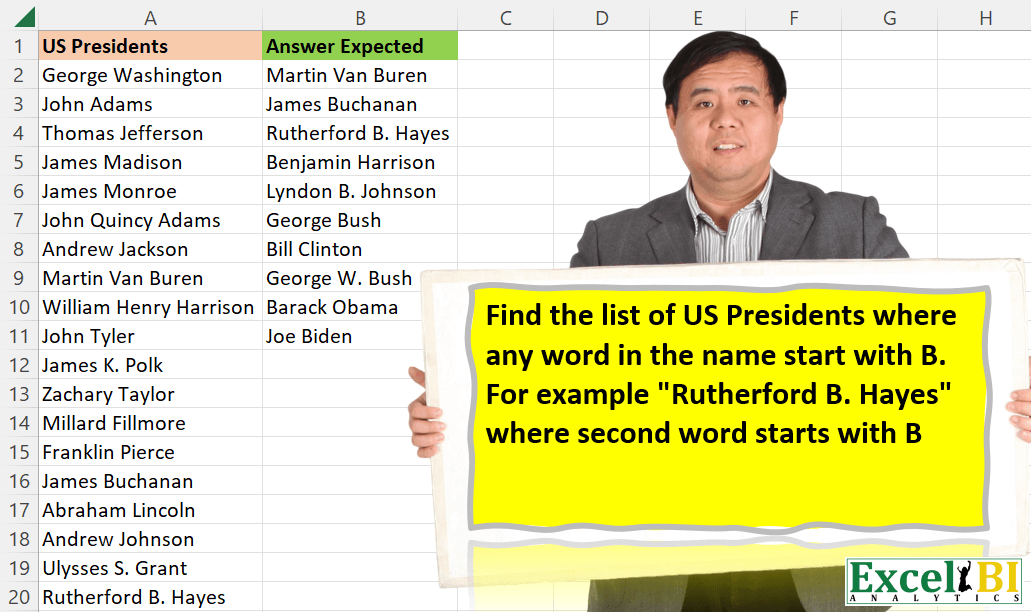
Challenge No. 54: Find the list of US Presidents where any word in the name start with B.
Solved using: DAX.
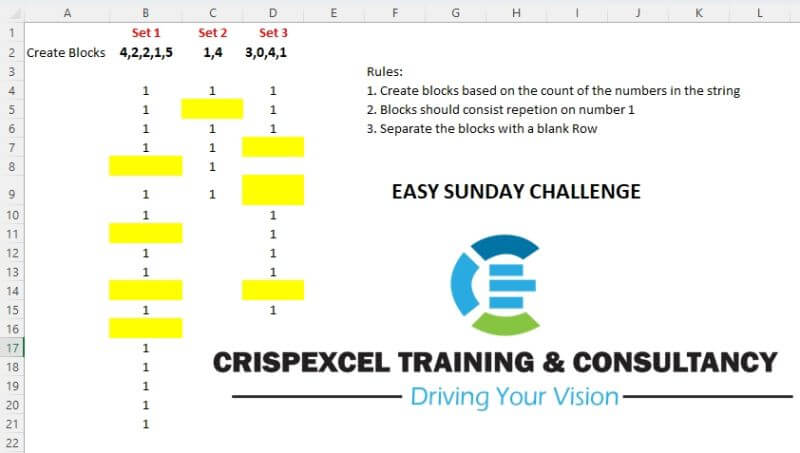
Challenge No. 11: Create blocks based on the sets of text number strings.
Solved using: Power Query.
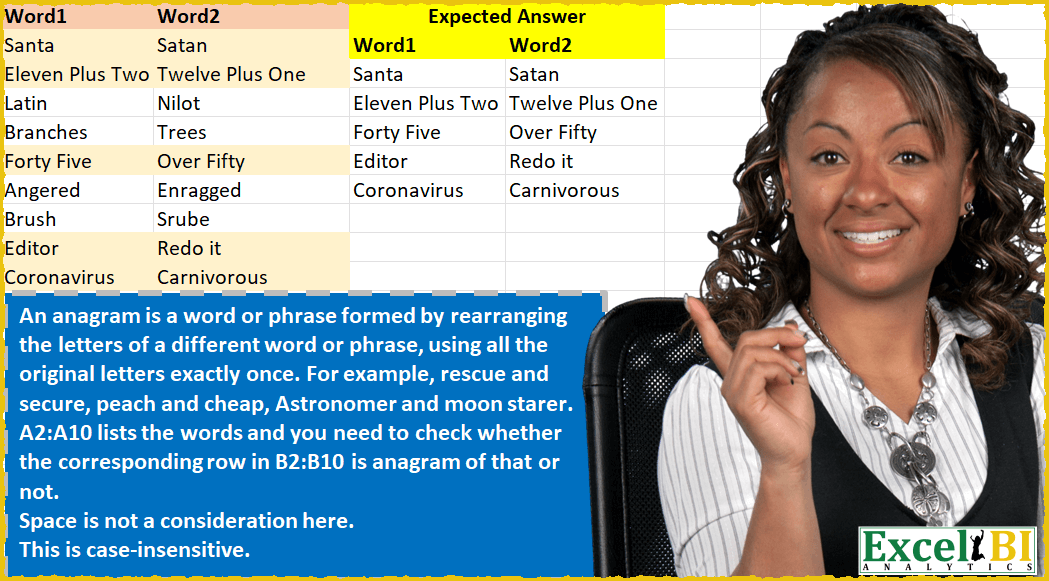
Challenge No. 50: An anagram is a word or phrase formed by rearranging the letters of a different word or phrase, using all the original letters exactly once.
Solved using: Power Query.
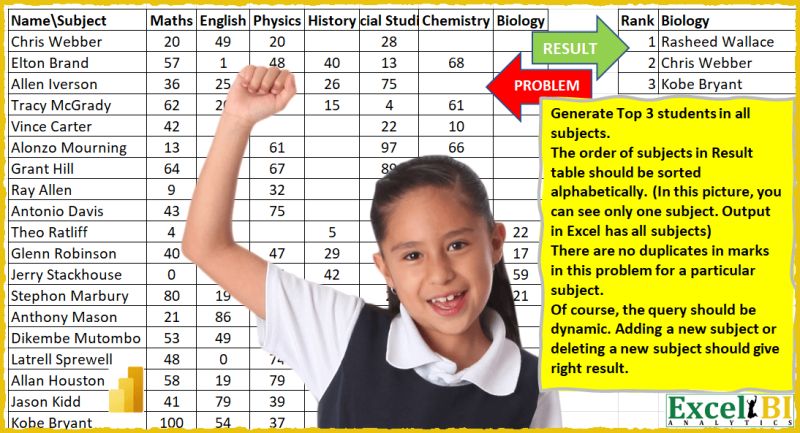
Challenge No. 15: (Excel formulas also welcome)
Generate Top 3 students in all subjects.
Solved using: Power Query.
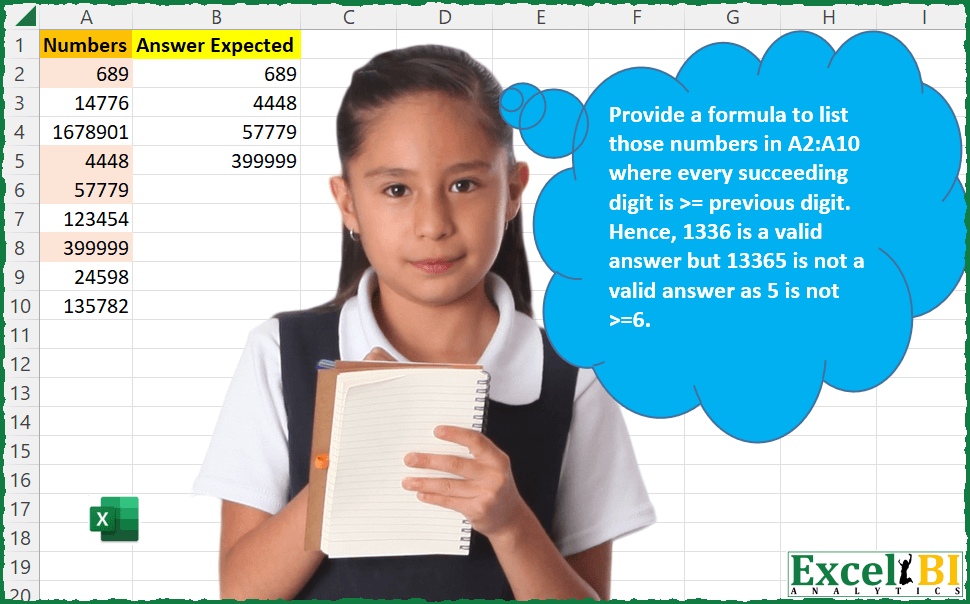
Challenge No. 49: Provide a formula to list those numbers in A2:A10 where every succeeding digit is >= previous digit.
Solved using: Python in Excel.
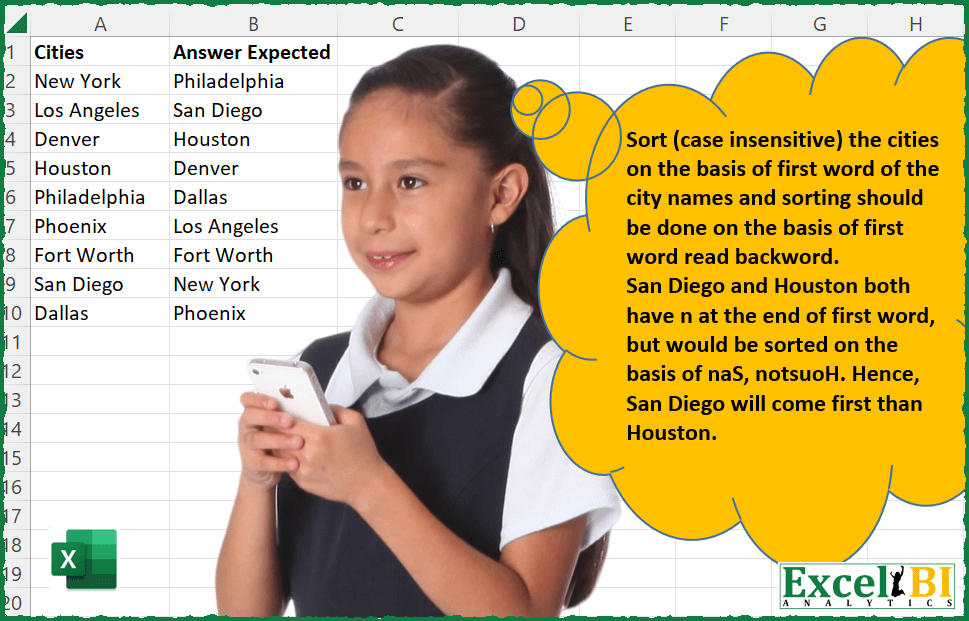
Challenge No. 48: Sort (case insensitive) the cities on the basis of first word of the city names and sorting should be done on the basis of first word read backward i.
Solved using: Power Query (Table.AddColumn, Table.Sort).

Challenge No. 47: Palindromes are those words which are same even when read from backwards.
Solved using: Python in Excel.