
Challenge No. 60: Generate the Result table from Problem table.
Solved using: Power Query (Table.AddColumn, Table.Split, Table.SplitColumn).

Returns one value for TRUE and another for FALSE based on a condition in Excel.
Challenge No. 60: Generate the Result table from Problem table.
Solved using: Power Query (Table.AddColumn, Table.Split, Table.SplitColumn).
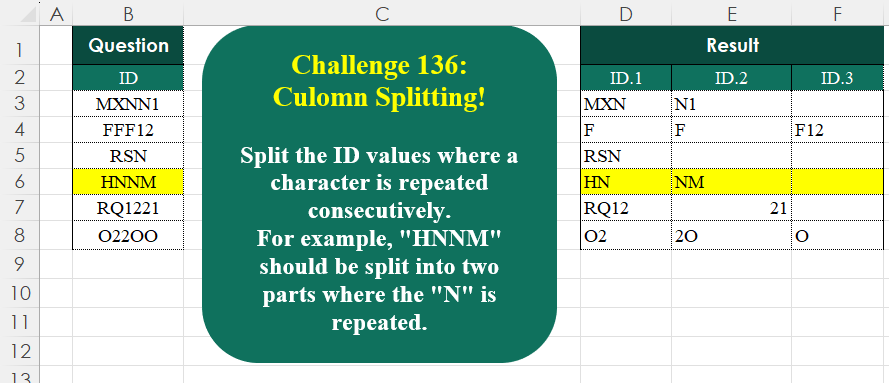
Challenge No. 136: Split the ID values where a character is repeated consecutively.
Solved using:Excel (CONCAT, DROP, IF), Google Sheets, Power Query (List.Transform, Text.Combine, Table.AddColumn), Python, Python in Excel, and R.
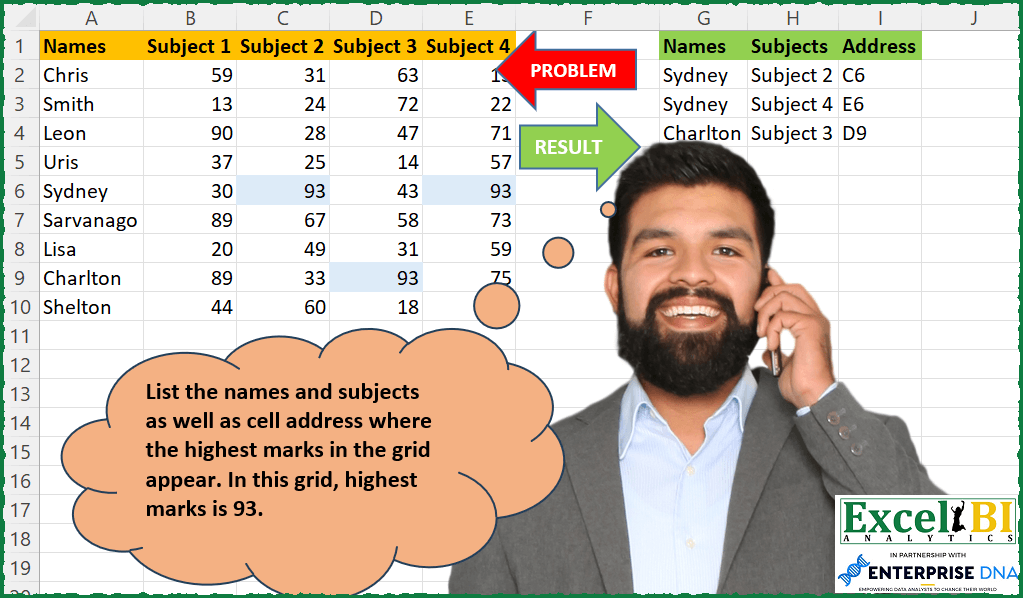
Challenge No. 202: List the names and subjects as well as cell address where the highest marks in the grid appear.
Solved using: Power Query.
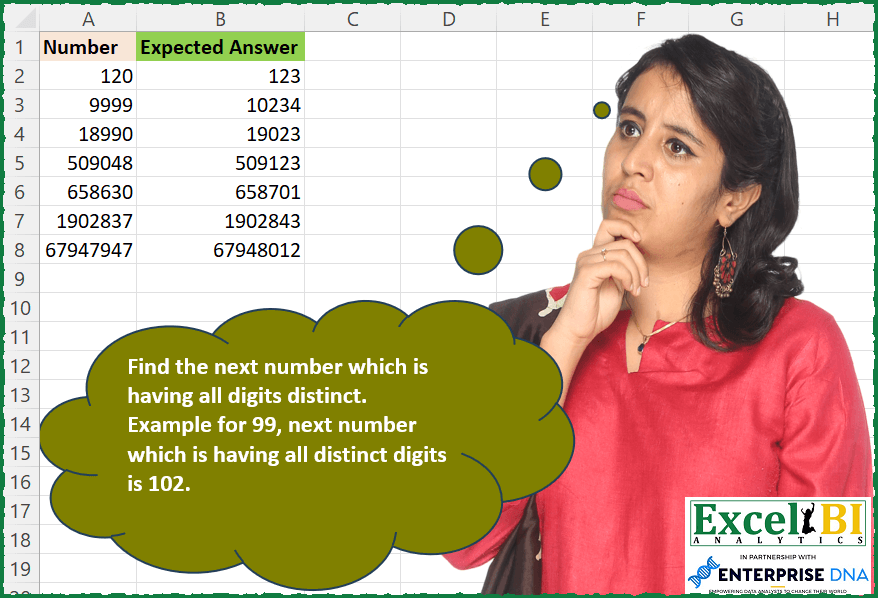
Challenge No. 201: Find the next number which is having all digits distinct.
Solved using: Python in Excel.
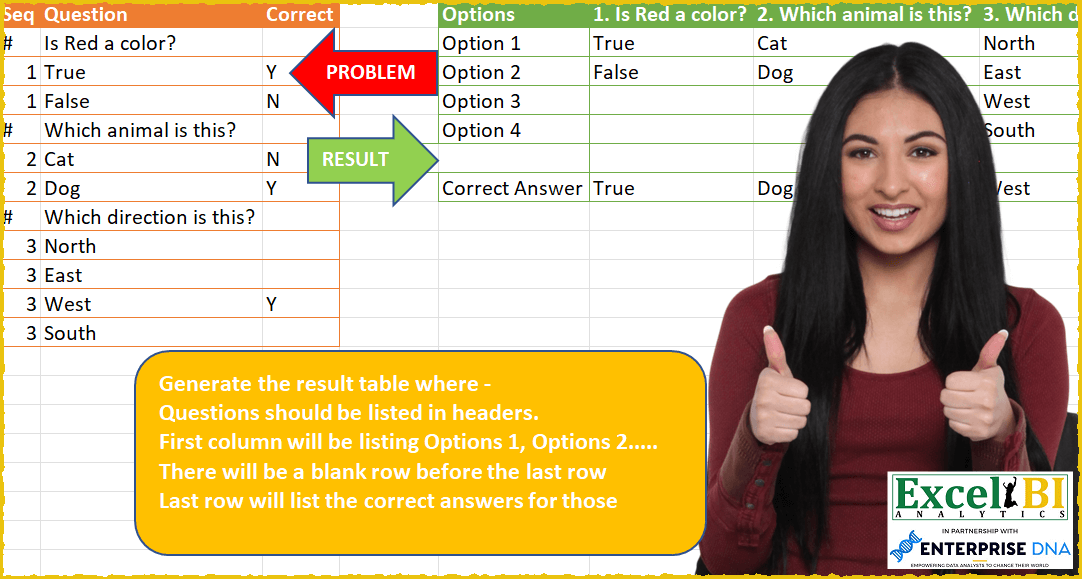
Challenge No. 59: Generate the result table where –
Questions should be listed in headers.
Solved using: Power Query (List.Transform, Table.SelectRows).
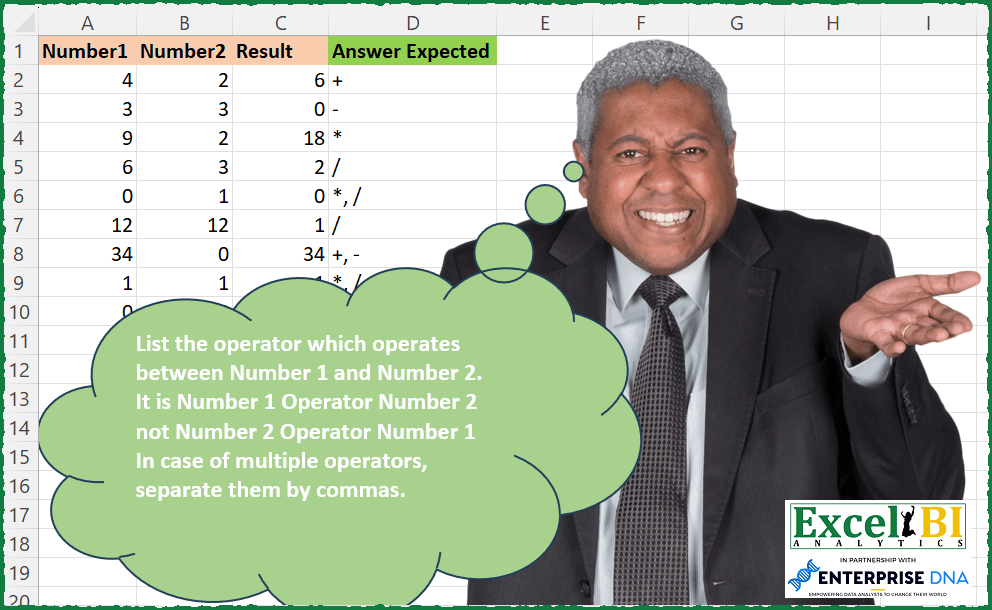
Challenge No. 198: List the operator which operates between Number 1 and Number 2.
Solved using: Python in Excel.

Challenge No. 133: Group the monthly sales values into three categories based on the following logic and provide one of the result tables:
Group 1: 1st to 10th of the month
Group 2: 11th to 20th of the month
Group 3: 21st to the end of the month.
Solved using:Excel (DATE, DAY, DROP), Google Sheets, Power Query (Table.Group, Date.Month, Table.AddColumn), Python, Python in Excel, and R.

Challenge No. 188: Sort Col 1 through 5 column wise on the basis of frequency.
Solved using: Power Query (List.Transform).
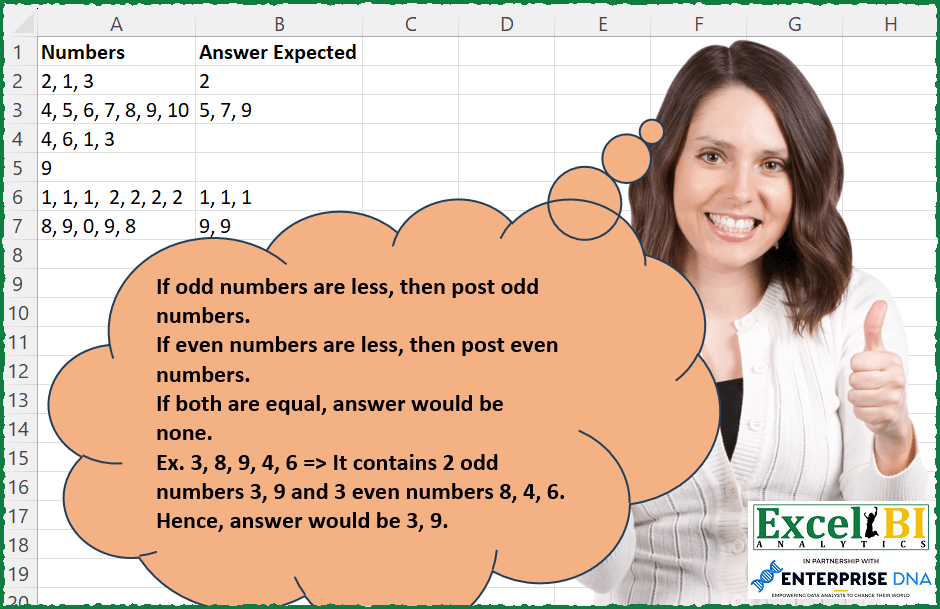
Challenge No. 186: If odd numbers are less, then post odd numbers.
Solved using: Power Query (List.Transform).
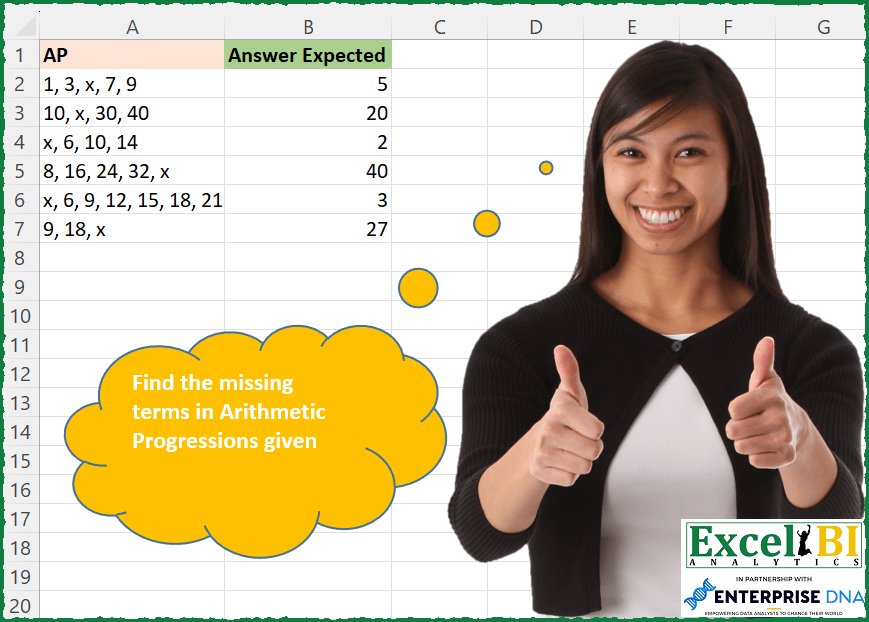
Challenge No. 182: Find the missing numbers in Arithmetic Progressions given.
Solved using: Python in Excel.