
Challenge No. 28: Considering only alphabets in column A2:A20, find the alphabet corresponding to 5th 2 in column B.
Solved using: Power Query (Table.SelectRows).
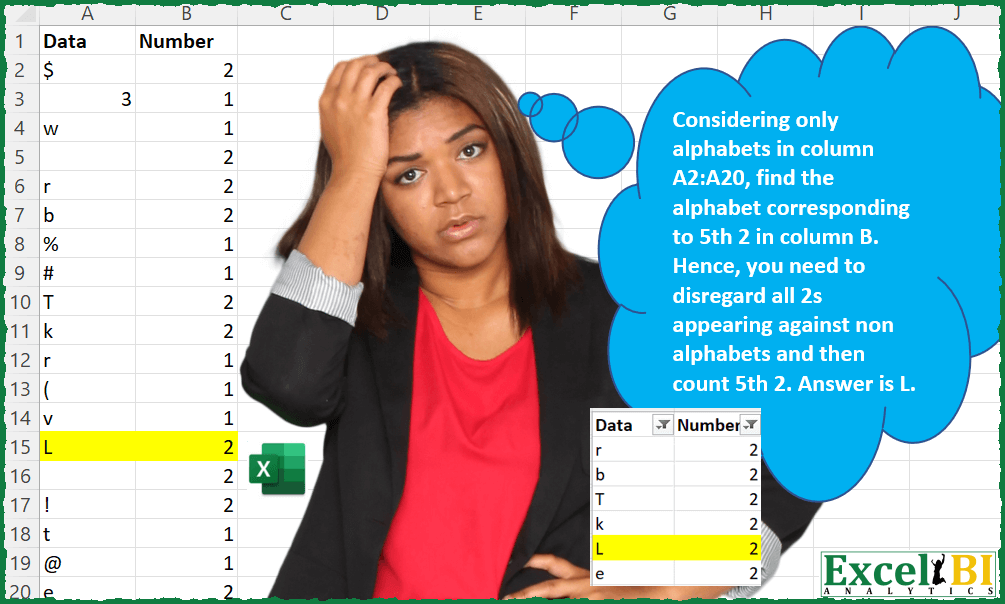
Challenge No. 28: Considering only alphabets in column A2:A20, find the alphabet corresponding to 5th 2 in column B.
Solved using: Power Query (Table.SelectRows).
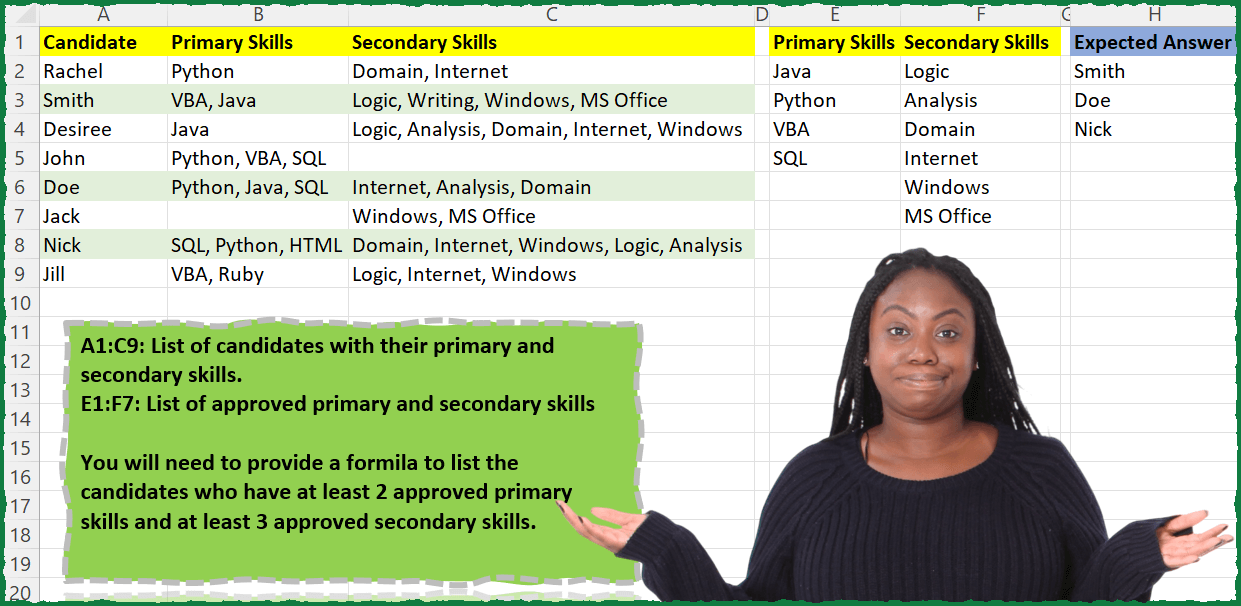
Challenge No. 27: A1:C9: List of candidates with their primary and secondary skills.
Solved using: Power Query (List.Intersect, Text.Split).

Challenge No. 85: In the Question Table, values are provided and we want to rank them in ascending order based on custom logic.
Solved using:Excel (FILTER, HSTACK, IF), Power Query (List.Sort, List.Transform), Python, and R.
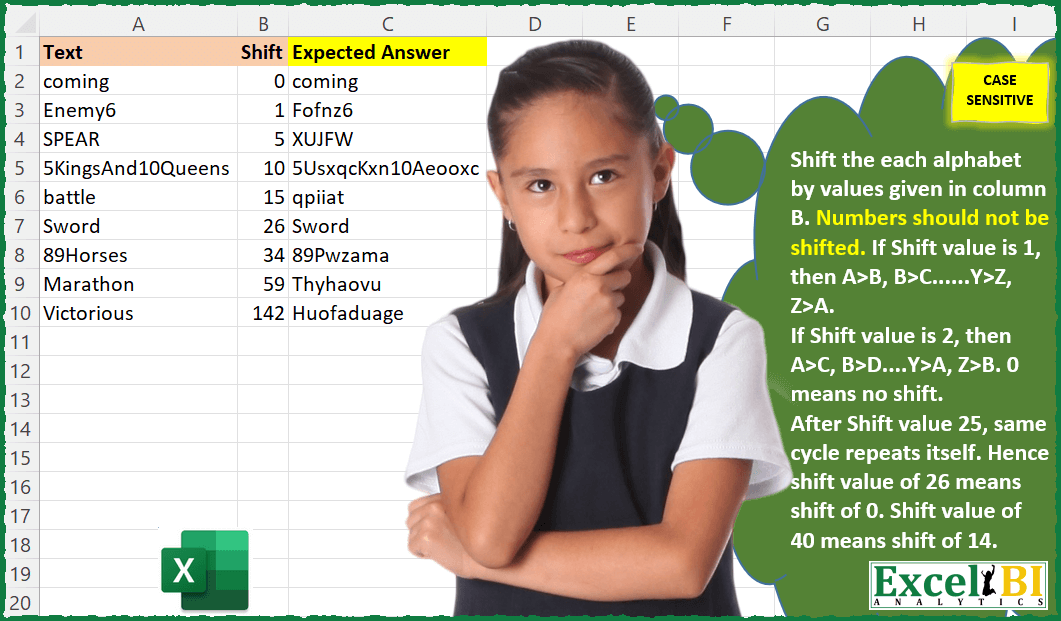
Challenge No. 26: Caesar’s Cipher – This is second challenge on Caesar’s cipher.
Solved using: Power Query.

Challenge No. 9: (Excel formulas also welcome)
There is a table which has Original Text and there is another table which contains the list of words which need to be replaced.
Solved using: Power Query (List.Transform, Table.AddColumn, Table.ReplaceValue).
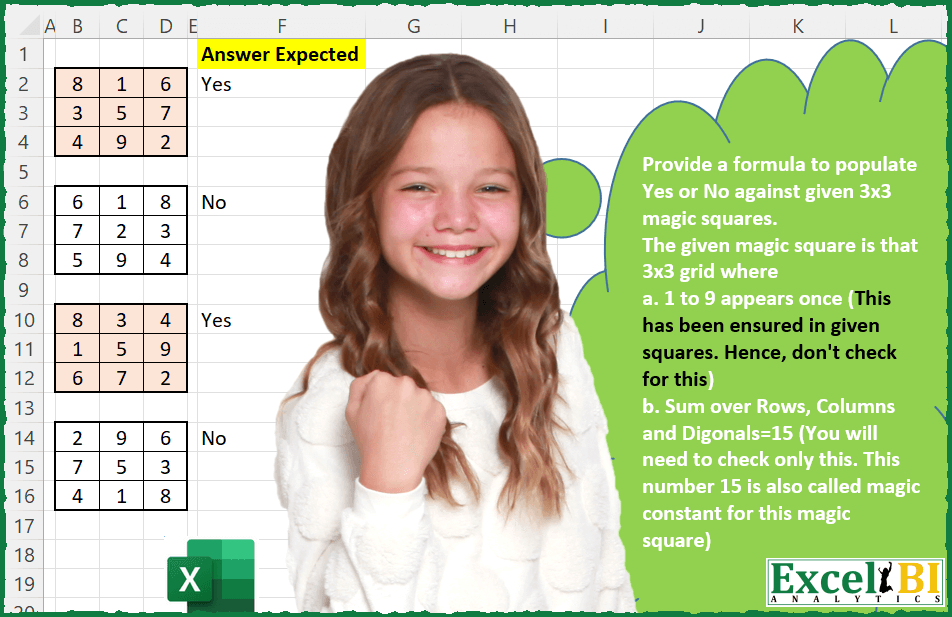
Challenge No. 25: Provide a formula to populate Yes or No against given 3×3 magic squares.
Solved using: Power Query (List.Transform).
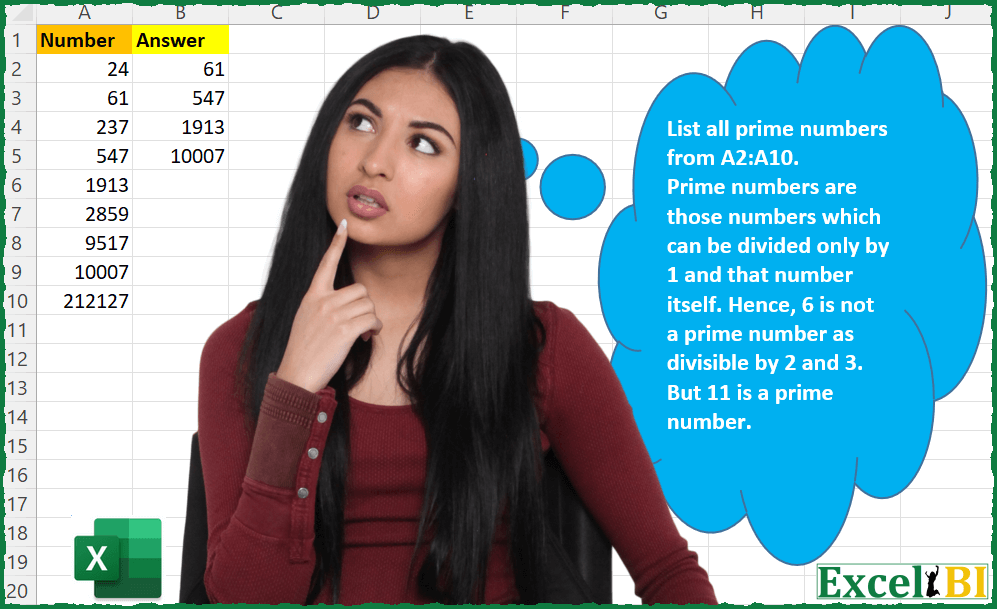
Challenge No. 24: List all prime numbers from A2:A10.
Solved using: Python in Excel.
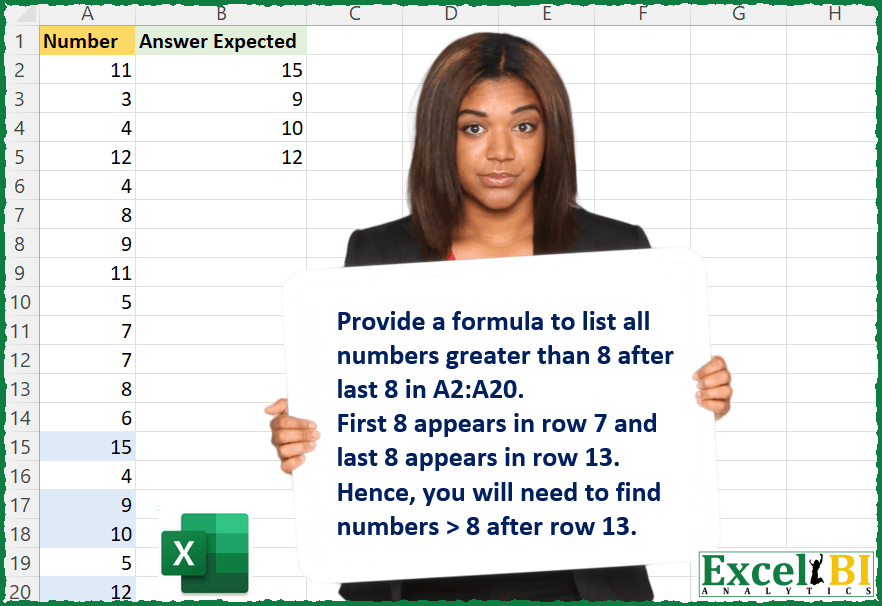
Challenge No. 23: Provide a formula to list all numbers greater than 8 after last 8 in A2:A20.
Solved using: Python in Excel.
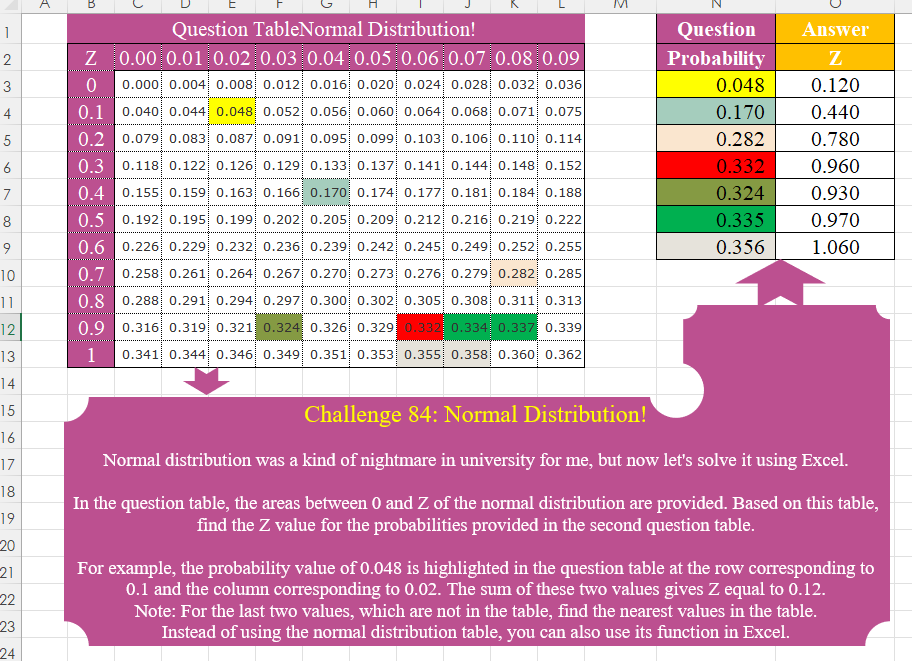
Challenge No. 84: Normal distribution was a kind of nightmare in university for me, but now let’s solve it using Excel.
Solved using:Excel (HSTACK, IF, INDEX), Power Query (Table.AddColumn), Python, Python in Excel, R, and VBA.
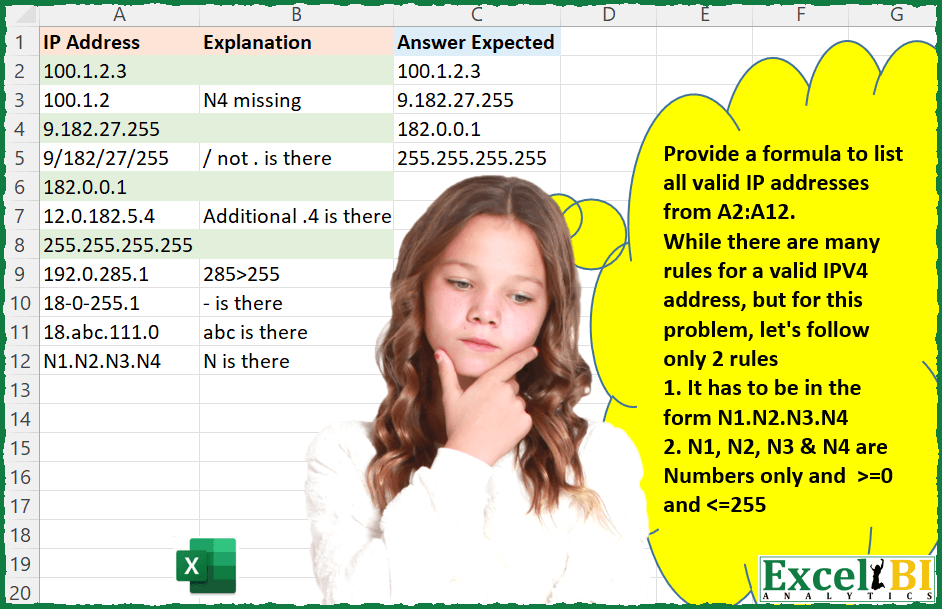
Challenge No. 22: Provide a formula to list all valid IP addresses from A2:A12.
Solved using: Power Query.