
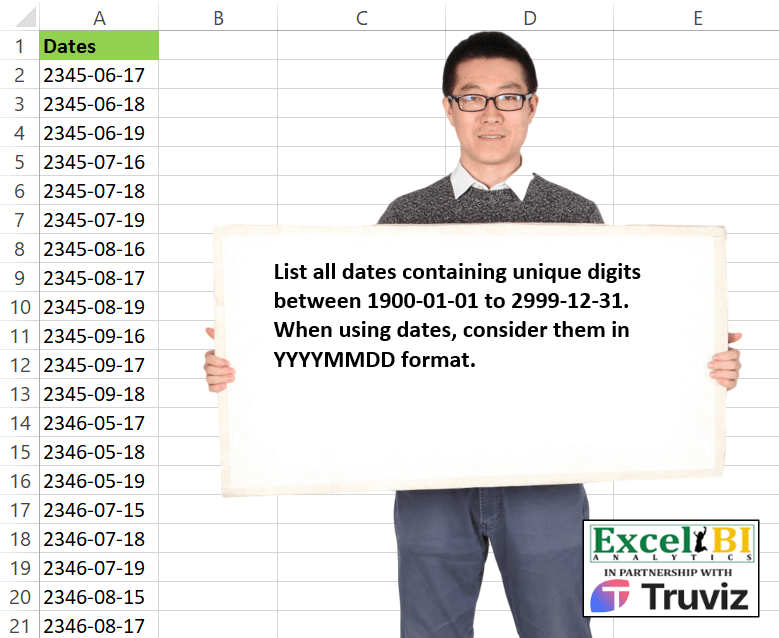
List all dates containing unique digits between 1900-01-01 to 2999-12-31. When using dates, consider them in YYYYMMDD format. Note – Looks like my answer is not complete after reading the answers of others.
📌 Challenge Details and Links
ExcelBI Excel Challenge Number: 521
Challenge Difficulty: ⭐️
📥Download Sample File
📥Link to the solutions on LinkedIn
Solving the challenge of List Dates with Unique Digits with Power Query
Power Query solution 1 for List Dates with Unique Digits, proposed by Kris Jaganah:
let
 Ans = Table.FromColumns({
 List.RemoveNulls(
 List.Transform(
 List.Dates(hashtag#date(2300,1,1),255108,hashtag#duration(1,0,0,0) ) ,
 each let a = Date.ToText( _, [Format = "yyyy-MM-dd"]) ,
 b = Text.ToList(a),
 c = if List.Count( List.Distinct(b)) = List.Count(b)-1 then a else null in c))},
 {"Dates"})
in
 Ans
Power Query solution 2 for List Dates with Unique Digits, proposed by Alejandro Simón 🇵🇦 🇪🇸:
let
Source = {Number.From(hashtag#date(1900,01,01))..Number.From(hashtag#date(2999,12,31))},
Date = List.Transform(Source, each Date.ToText(Date.From(_), "yyyy-MM-dd")),
Sol = List.Select(Date, (x)=>
 let
 a = List.Transform({"0".."9"}, each Text.Length(Text.Select(x,_))),
 b = List.Select(a, each _<>0),
 c = List.AllTrue(List.Transform(b, each _=1))
 in c)
in
Sol


        Show translation


        Show translation of this comment
Power Query solution 3 for List Dates with Unique Digits, proposed by Mihai Radu O:
let
 a = List.Dates(hashtag#date(1900,1,1), Duration.Days(hashtag#date(2999,12,31)-hashtag#date(1900,1,1))+1,hashtag#duration(1,0,0,0)),
 b = List.Transform (a, (x)=> Date.ToText(x,"yyyy-MM-dd")),
 c = List.Select(b, (x)=> List.Count( List.Distinct( Text.ToList(x)))=(Text.Length(x)-1))
in
 c
Power Query solution 4 for List Dates with Unique Digits, proposed by Francesco Bianchi 🇮🇹:
let
 Source = List.Transform(
 List.Select(
 {Number.From(hashtag#date(1900, 01, 01)) .. Number.From(hashtag#date(2999, 12, 31))},
 each [
 a = Date.From(_),
 b = Date.ToText(a, "yyyyMMdd"),
 c = Text.ToList(b),
 d = List.Count(List.Distinct(c)) = 8
 ][d]
 ),
 each Date.ToText(Date.From(_), "yyyy-MM-dd")
 ),
 ToTab= Table.FromColumns( {Source},{"Dates"})
in
 ToTab
Solving the challenge of List Dates with Unique Digits with Excel
Excel solution 1 for List Dates with Unique Digits, proposed by Bo Rydobon 🇹🇭:
=LET(
    n,
    SEQUENCE(
        ,
        10,
        0
    ),
    TEXT(
        TOCOL(
            --TEXT(
                REDUCE(
                    {1;2},
                    SEQUENCE(
                        7
                    ),
                    LAMBDA(
                        a,
                        _,
                        TOCOL(
                            IFS(
                                ISERR(
                                    FIND(
                                        n,
                                        a
                                    )
                                ),
                                a&n
                            ),
                            3
                        )
                    )
                ),
                "0-00-00"
            ),
            3
        ),
        "e-mm-dd"
    )
)
Excel solution 2 for List Dates with Unique Digits, proposed by Bo Rydobon 🇹🇭:
=TEXT(
    TOCOL(
        --TEXT(
            REDUCE(
                2,
                SEQUENCE(
                    7
                ),
                LAMBDA(
                    a,
                    i,
                    LET(
                        n,
                        IF(
                            i=4,
                            {0,
                            1},
                            IF(
                                i=6,
                                {0,
                                1,
                                2,
                                3},
                                SEQUENCE(
                                    ,
                                    10,
                                    0
                                )
                            )
                        )&"",
                        TOCOL(
                            IFS(
                                ISERR(
                                    FIND(
                                        n,
                                        a
                                    )
                                )*OR(
                                    i={4,
                                    6},
                                    RIGHT(
                                        a
                                    )
Excel solution 3 for List Dates with Unique Digits, proposed by Bo Rydobon 🇹🇭:
=TEXT(TOCOL(--REDUCE({1;2},
    SEQUENCE(
        7
    ),
    LAMBDA(a,
    i,
    LET(s,
    SEQUENCE(
        ,
        7,
        3
    ),
    m,
    SWITCH(
        i,
        4,
        "-0",
        6,
        -{1,
        2,
        3},
        7,
        HSTACK(
            1,
            s
        ),
        s
    ),
    TOCOL(IFS((a&m>="19")*ISERR(
        FIND(
            RIGHT(
                m
            ),
            a
        )
    ),
    a&m),
    3)))),
    3),
    "e-mm-dd")
Excel solution 4 for List Dates with Unique Digits, proposed by Rick Rothstein:
=LET(
    g,
    "00",
    t,
    TOCOL(
        TOCOL(
            SEQUENCE(
                1100,
                ,
                1900
            )&TEXT(
                SEQUENCE(
                    ,
                    12
                ),
                g
            )
        )&TEXT(
            SEQUENCE(
                ,
                31
            ),
            g
        )
    ),
    f,
    "0000-00-00",
    z,
    TEXT(
        TOCOL(
            0+TEXT(
                t,
                f
            ),
            2
        ),
        "yyyymmdd"
    ),
    TEXT(
        FILTER(
            z,
            MAP(
                z,
                LAMBDA(
                    x,
                    ISERROR(
                        MODE(
                            0+MID(
                                x,
                                SEQUENCE(
                                    8
                                ),
                                1
                            )
                        )
                    )
                )
            )
        ),
        f
    )
)
Excel solution 5 for List Dates with Unique Digits, proposed by John V.:
=LET(d,TEXT(ROW(1:401768),"e-mm-dd"),FILTER(d,REDUCE(d,ROW(1:10)-1,LAMBDA(a,v,SUBSTITUTE(a,v,,1)))="--"))
✅ =LET(i,TEXT(ROW(1:401768),"e-mm-dd"),FILTER(i,BYROW(MID(i,COLUMN(A:J),1),LAMBDA(x,COLUMNS(UNIQUE(x,1))=9))))
Excel solution 6 for List Dates with Unique Digits, proposed by محمد حلمي:
=TEXT(TOCOL(MAP(SUBSTITUTE( TEXT(
SEQUENCE(410000)+1900,"e-mm-dd"),"-",),
LAMBDA(a,a/(ROWS(
UNIQUE(MID(a,SEQUENCE(8),1)))=8))),2),"0-00-00")
Excel solution 7 for List Dates with Unique Digits, proposed by Kris Jaganah:
=TOCOL(MAP(TEXT(SEQUENCE((3000-2300)*365.244,,DATE(2300,1,1)),"yyyy-mm-dd"),LAMBDA(x,IFS(LEN(CONCAT(UNIQUE(REGEXEXTRACT(x,"[0-9]",1),1,1)))=(LEN(x)-2),x))),3)Excel solution 8 for List Dates with Unique Digits, proposed by Julian Poeltl:
=LET(
    S,
    SEQUENCE(
        401768
    ),
    FILTER(
        S,
        MAP(
            S,
            LAMBDA(
                A,
                ROWS(
                    UNIQUE(
                        MID(
                            TEXT(
                                A,
                                "YYYYMMDD"
                            ),
                            SEQUENCE(
                                8
                            ),
                            1
                        )
                    )
                )=8
            )
        )
    )
)
Excel solution 9 for List Dates with Unique Digits, proposed by Timothée BLIOT:
=LET(D,SEQUENCE(DATE(2999,12,31)),S,--TEXT(D,"YYYYMMDD"), TEXT(FILTER(D,BYROW(--((LEN(S)-LEN(SUBSTITUTE(S,SEQUENCE(,10)-1,"")))<2),LAMBDA(x,PRODUCT(x)))),"YYYY-MM-DD"))Excel solution 10 for List Dates with Unique Digits, proposed by Oscar Mendez Roca Farell:
=LET(s,
     SEQUENCE(
         401767
     ),
     TEXT(TOCOL(s/(MAP(
         TEXT(
             s,
              "emmdd"
         ),
          LAMBDA(
              a,
               COUNT(
                   FIND(
                       SEQUENCE(
                            ,
                           10
                       )-1,
                        a
                   )
               )
          )
     )=8),
     2),
     "e-mm-dd"))
Excel solution 11 for List Dates with Unique Digits, proposed by LEONARD OCHEA 🇷🇴:
=LET(s,SEQUENCE(401768),TEXT(FILTER(s,BYROW(MID(TEXT(s,"emmdd"),SEQUENCE(,8),1),LAMBDA(x,COLUMNS(UNIQUE(x,1))=8))),"e-mm-dd"))Excel solution 12 for List Dates with Unique Digits, proposed by Anshu Bantra:
=LET(

     start_,
     DATE(
         1900,
          1,
          1
     ),

     end_,
     DATE(
         2999,
          12,
          31
     ),

     dates_,
     SORT(
         SEQUENCE(
             end_-start_+1,
              ,
              start_
         ),
          ,
          -1
     ),

     formated_dates_,
     TEXT(
         dates_,
          "YYYY-MM-DD"
     ),

     FILTER(

          formated_dates_,

          MAP(

               formated_dates_,

               LAMBDA(
                   dt_,
                    LEN(
                        TEXTJOIN(
                            "",
                             ,
                             UNIQUE(
                                 MID(
                                     dt_,
                                      SEQUENCE(
                                          LEN(
                                              dt_
                                          )
                                      ),
                                      1
                                 )
                             )
                        )
                    ) = 9
               )

          )

     )

)
Excel solution 13 for List Dates with Unique Digits, proposed by Pieter de B.:
=UNIQUE(TOCOL(MAP(EDATE(0,SEQUENCE(13200))+SEQUENCE(,31,0),LAMBDA(d,IFS(ROWS(UNIQUE(MID(TEXT(d,"emmdd"),SEQUENCE(8),1)))=8,TEXT(d,"e-mm-dd")))),2))Excel solution 14 for List Dates with Unique Digits, proposed by ferhat CK:
=LET(
    d,
    SCAN(
        0,
        SEQUENCE(
            401768
        ),
        LAMBDA(
            x,
            y,
            LET(
                a,
                IF(
                    LEN(
                        DAY(
                            y
                        )
                    )=1,
                    "0"&DAY(
                            y
                        ),
                    DAY(
                            y
                        )
                )&IF(
                    LEN(
                        MONTH(
                            y
                        )
                    )=1,
                    "0"&MONTH(
                            y
                        ),
                    MONTH(
                            y
                        )
                )&YEAR(
                            y
                        ),
                b,
                MID(
                    a,
                    SEQUENCE(
                        LEN(
                            a
                        )
                    ),
                    1
                ),
                c,
                IF(
                    SUM(
                        LEN(
                            UNIQUE(
                                b
                            )
                        )
                    )=8,
                    y,
                    0
                ),
                c
            )
        )
    ),
    FILTER(
        d,
        d>0
    )
)
Excel solution 15 for List Dates with Unique Digits, proposed by Jaroslaw Kujawa:
=LET(y;
    TEXT(
        SEQUENCE(
            1+"2999-12-31"-"1900-01-01"
        );
        "yyyymmdd"
    );
    z;
    HSTACK(y;
    LAMBDA(
        a;
        BYROW(
            a;
            LAMBDA(
                x;
                SUM(
                    x
                )
            )
        )
    )(LAMBDA(
        a;
        LEN(
            SUBSTITUTE(
                a;
                MID(
                    a;
                    SEQUENCE(
                        ;
                        8
                    );
                    1
                );
                ""
            )
        )
    )(y)));
    TAKE(
        FILTER(
            z;
            TAKE(
                z;
                ;
                -1
            )=7*8
        );
        ;
        1
    ))
Excel solution 16 for List Dates with Unique Digits, proposed by Andy Heybruch:
=LET(

    _a,
    TEXT(
        SEQUENCE(
            401768
        ),
        "YYYY-MM-DD"
    ),

    _filt,
    MAP(
        _a,
        LAMBDA(
            x,
            COUNTA(
                UNIQUE(
                    MID(
                        x,
                        SEQUENCE(
                            LEN(
                                x
                            )
                        ),
                        1
                    )
                )
            )
        )
    ),

    FILTER(
        _a,
        _filt=9
    )
)
Excel solution 17 for List Dates with Unique Digits, proposed by Bilal Mahmoud kh.:
&=LET(ls,TEXT(SEQUENCE(401768),"yyyy-mm-dd"),res,MAP(ls,LAMBDA(n,AND(REDUCE(TRUE,SEQUENCE(10,,0),LAMBDA(x,y,VSTACK(x,LET(a,SUBSTITUTE(n,y,""),IF(LEN(n)-LEN(a) <= 1,TRUE,FALSE)))))))),FILTER(ls,res))Excel solution 18 for List Dates with Unique Digits, proposed by JvdV -:
=LET(y,TEXT(ROW(1:397186),"e-mm-dd"),FILTER(y,1-REGEXTEST(y,"(d).*1")))Excel solution 19 for List Dates with Unique Digits, proposed by Imam Hambali:
=LET(
dt, SEQUENCE(DATE(2999,12,31)-DATE(1900,1,1),,DATE(1900,1,1)),
f, BYROW(dt,LAMBDA(x, COUNTA(UNIQUE(MID(TEXT(x,"yyymmdd"),SEQUENCE(,8),1),1)))),
FILTER(dt,f=8)
)
Excel solution 20 for List Dates with Unique Digits, proposed by El Badlis Mohd Marzudin:
=LET(
    d,
    TEXT(
        SEQUENCE(
            401768
        ),
        "emmdd"
    ),
    a,
    MAP(
        d,
        LAMBDA(
            x,
            COUNTA(
                UNIQUE(
                    MID(
                        x,
                        SEQUENCE(
                            8
                        ),
                        1
                    )
                )
            )
        )
    )=8,
    TEXT(
        FILTER(
            d,
            a
        ),
        "0-00-00"
    )
)
Excel solution 21 for List Dates with Unique Digits, proposed by Andres Rojas Moncada:
=LET(
    f,
    SEQUENCE(
        401768
    ),
    FILTER(
        f,
        REDUCE(
            TEXT(
                f,
                "ddmmaaaa"
            ),
            SEQUENCE(
                10,
                ,
                0
            ),
            LAMBDA(
                a,
                v,
                SUBSTITUTE(
                    a,
                    v,
                    "",
                    1
                )
            )
        )=""
    )
)
Excel solution 22 for List Dates with Unique Digits, proposed by Liam Bastick:
=FILTER(
    Range,
    MAP(
        TEXT(
            Range,
            "yyyymmdd"
        ),
        LAMBDA(
            x,
            ROWS(
                UNIQUE(
                    MID(
                        x,
                        SEQUENCE(
                            LEN(
                                x
                            )
                        ),
                        1
                    )
                )
            )
        )
    )=8,
    ""
)
Solving the challenge of List Dates with Unique Digits with Python
Python solution 1 for List Dates with Unique Digits, proposed by Konrad Gryczan, PhD:
import pandas as pd
import datetime
import numpy as np
path = "521 Unique Digits in Dates.xlsx"
test = pd.read_excel(path)
dates = np.arange(np.datetime64("1999-01-01"),
 np.datetime64("2999-12-31"),
 np.timedelta64(1, 'D'))
dates2 = pd.DataFrame({"Dates": dates})
dates2 = dates2[dates2["Dates"]
 .astype(str)
 .str.replace("-", "")
 .apply(lambda x: len(set(x)) == 8)]
 .astype(str)
 .reset_index(drop=True)
print(dates2.equals(test))  # True
Python solution 2 for List Dates with Unique Digits, proposed by Anshu Bantra:
import datetime as dtt
start_date = dtt.datetime(1900, 1, 1)
end_date = dtt.datetime(2999, 12, 31)
df  = pd.DataFrame(columns=['dates', 'all_unique'])
df['dates'] = sorted([dtt.datetime.date(start_date+dtt.timedelta(days=_)) for _ in range((end_date-start_date).days)],reverse=True)
df['all_unique'] = df['dates'].apply(lambda x: len(set(str(x))))
df[df['all_unique']==9]['dates'].values
Solving the challenge of List Dates with Unique Digits with Python in Excel
Python in Excel solution 1 for List Dates with Unique Digits, proposed by Abdallah Ally:
# Create a list of dates
dates= np.arange('1900-01-01', '3000-01-01', dtype='datetime64[D]')
dates = filter(
 lambda x:
 all(
 [str(x).count(y) == 1 for y in str(x) if y != '-']
 ), dates
)
df = pd.DataFrame(data=dates, columns=['Dates'])
df
Solving the challenge of List Dates with Unique Digits with R
R solution 1 for List Dates with Unique Digits, proposed by Konrad Gryczan, PhD:
library(tidyverse)
library(readxl)
path = "Excel/521 Unique Digits in Dates.xlsx"
test = read_excel(path, sheet = 1)
dates = seq(as.Date("1999-01-01"), as.Date("2999-12-31"), by = "days")
dates2 <- tibble(Dates = dates) %>%
 filter(str_remove_all(Dates, "-") %>%
 str_split("") %>%
 map_lgl(~ length(unique(.x)) == 8)) %>%
 mutate(Dates = as.character(Dates)) %>%
 select(Dates)
identical(dates2, test)
#> [1] TRUE
&&