
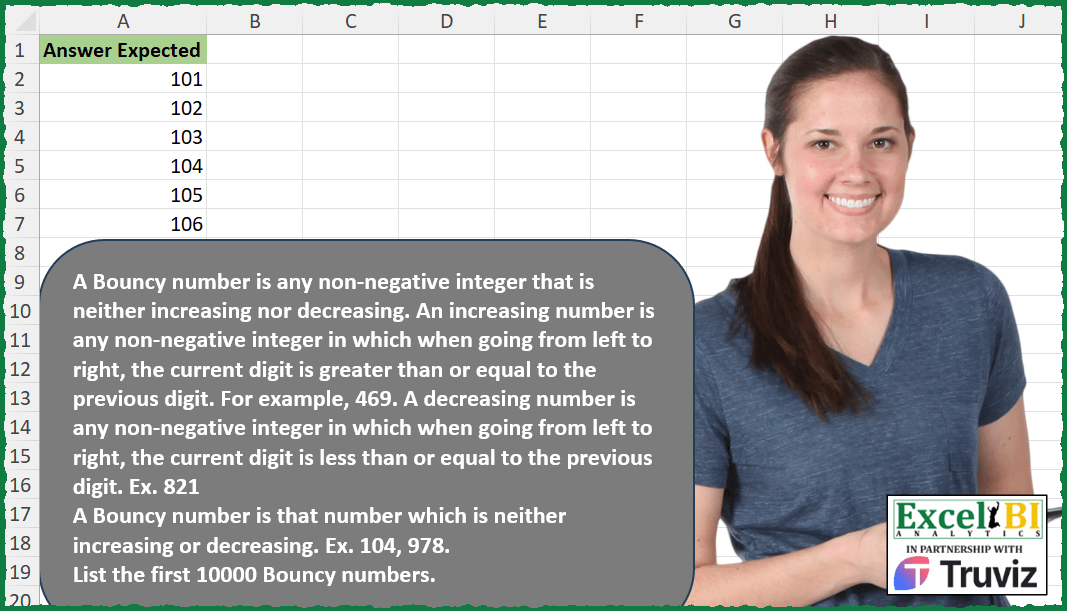
A Bouncy number is any non-negative integer that is neither increasing nor decreasing. An increasing number is any non-negative integer in which when going from left to right, the current digit is greater than or equal to the previous digit. For example, 469. A decreasing number is any non-negative integer in which when going from left to right, the current digit is less than or equal to the previous digit. Ex. 821 A Bouncy number is that number which is neither increasing or decreasing. Ex. 104, 978, 1132. List the first 10000 Bouncy numbers.
📌 Challenge Details and Links
ExcelBI Excel Challenge Number: 466
Challenge Difficulty: ⭐️⭐️⭐️
📥Download Sample File
📥Link to the solutions on LinkedIn
Solving the challenge of List Bouncy Numbers with Power Query
Power Query solution 1 for List Bouncy Numbers, proposed by Aditya Kumar Darak 🇮🇳:
let
  MyFun = (Number) =>
    let
      T = Text.From(Number),
      L = Text.ToList(T),
      R = List.Sort(L) <> L and List.Sort(L, 1) <> L
    in
      R,
  Generate = List.Generate(
    () => [a = 9, c = null, d = 0],
    each [d] <= 10000,
    each [a = [a] + 1, b = MyFun(a), c = if b then a else null, d = [d] + Number.From(b)],
    each [c]
  ),
  Return = List.RemoveNulls(Generate)
in
  Return
Power Query solution 2 for List Bouncy Numbers, proposed by Ramiro Ayala Chávez:
let
  a   = {10 .. 12000},
  b   = List.Transform(a, each Text.ToList(Text.From(_))),
  c   = List.Select(b, each _ <> List.Sort(_, 0) and _ <> List.Sort(_, 1)),
  d   = List.Transform(c, each Number.From(Text.Combine(_))),
  Sol = Table.FirstN(Table.FromColumns({d}, {"Answer Expected"}), 10000)
in
  Sol
Solving the challenge of List Bouncy Numbers with Excel
Excel solution 1 for List Bouncy Numbers, proposed by Bo Rydobon 🇹🇭:
=TAKE(
    TOCOL(
        MAP(
            SEQUENCE(
                12000
            ),
            LAMBDA(
                x,
                LET(
                    s,
                    SEQUENCE(
                        LEN(
                            x
                        )-1
                    ),
                    d,
                    MID(
                        x,
                        s,
                        1
                    )-MID(
                        x,
                        s+1,
                        1
                    ),
                    x/OR(
                        d>0
                    )/OR(
                        d<0
                    )
                )
            )
        ),
        3
    ),
    10^4
)
Excel solution 2 for List Bouncy Numbers, proposed by John V.:
=TAKE(
    TOCOL(
        MAP(
            ROW(
                1:12000
            ),
            LAMBDA(
                x,
                LET(
                    i,
                    MID(
                        x,
                        SEQUENCE(
                            LEN(
                                x
                            )
                        ),
                        1
                    ),
                    a,
                    DROP(
                        i,
                        1
                    ),
                    b,
                    DROP(
                        i,
                        -1
                    ),
                    x/OR(
                        b>a
                    )/OR(
                        a>b
                    )
                )
            )
        ),
        2
    ),
    10^4
)
Excel solution 3 for List Bouncy Numbers, proposed by محمد حلمي:
=TOCOL(
    MAP(
        SEQUENCE(
            11839
        ),
        LAMBDA(
            a,
            a/LET(
                c,
                MID(
                    a,
                    SEQUENCE(
                        LEN(
                            a
                        )
                    ),
                    1
                ),
                v,
                DROP(
                    c,
                    1
                ),
                x,
                DROP(
                    c,
                    -1
                ),
                OR(
                    v>x
                )*OR(
                    v
Excel solution 4 for List Bouncy Numbers, proposed by Kris Jaganah:
=TAKE(TOCOL(MAP(SEQUENCE(
    20000
),
    LAMBDA(x,
    LET(a,
    MID(
        x,
        SEQUENCE(
            LEN(
                x
            )
        ),
        1
    ),
    b,
    DROP(
        a,
        1
    )-DROP(
        a,
        -1
    ),
    c,
    SUM(
        b,
        ABS(
            b
        )
    ),
    x/(((c=SUM(
        b*2
    ))=(c=0))<>(ROWS(
        UNIQUE(
            a
        )
    )=1))))),
    3),
    10^4)
Excel solution 5 for List Bouncy Numbers, proposed by Julian Poeltl:
=TAKE(
    LET(
        S,
        SEQUENCE(
            12000,
            ,
            100
        ),
        F,
        MAP(
            S,
            LAMBDA(
                A,
                SUM(
                    --DROP(
                        DROP(
                            MID(
                                A,
                                SEQUENCE(
                                    ,
                                    LEN(
                                        A
                                    )
                                ),
                                1
                            ),
                            ,
                            1
                        )>=MID(
                                A,
                                SEQUENCE(
                                    ,
                                    LEN(
                                        A
                                    )
                                ),
                                1
                            ),
                        ,
                        -1
                    )
                )=LEN(
                                        A
                                    )-1
            )
        ),
        FF,
        MAP(
            S,
            LAMBDA(
                A,
                SUM(
                    --DROP(
                        DROP(
                            MID(
                                A,
                                SEQUENCE(
                                    ,
                                    LEN(
                                        A
                                    )
                                ),
                                1
                            ),
                            ,
                            1
                        )<=MID(
                                A,
                                SEQUENCE(
                                    ,
                                    LEN(
                                        A
                                    )
                                ),
                                1
                            ),
                        ,
                        -1
                    )
                )=LEN(
                                        A
                                    )-1
            )
        ),
        FILTER(
            S,
            MAP(
                F,
                FF,
                LAMBDA(
                    A,
                    B,
                    SUM(
                        --A,
                        --B
                    )
                )
            )=0
        )
    ),
    10000
)
Excel solution 6 for List Bouncy Numbers, proposed by Timothée BLIOT:
=LET(S,
    SEQUENCE(
        10^5,
        ,
        100
    ),
    TAKE(FILTER(S,
    NOT(MAP(S,
    LAMBDA(x,
    LET(A,
    LEN(
        x
    )-1,
    B,
    SEQUENCE(
        A
    ),
    C,
    MID(
        x,
        B,
        1
    )-MID(
        x,
        B+1,
        1
    ),
    OR(SUM(--(C>=0))=A,
    SUM(--(C<=0))=A)))))),
    10^4))
Excel solution 7 for List Bouncy Numbers, proposed by Sunny Baggu:
=TAKE(

     LET(

          n,
          SEQUENCE(
              15000,
               ,
               100
          ),

          FILTER(

               n,

               MAP(

                    n,

                    LAMBDA(
                        x,

                         LET(

                              m,
                              MID(
                                  x,
                                   SEQUENCE(
                                       LEN(
                                           x
                                       )
                                   ),
                                   1
                              ),

                              a,
                              DROP(
                                  m,
                                   -1
                              ),

                              b,
                              DROP(
                                  m,
                                   1
                              ),

                              c,
                              a > b,

                              d,
                              a < b,

                              AND(
                                  OR(
                                      c
                                  ),
                                   OR(
                                       d
                                   )
                              )

                         )

                    )

               )

          )

     ),

     10000

)
Excel solution 8 for List Bouncy Numbers, proposed by Abdallah Ally:
=LET(
    n,
    10^4,
    b,
    SEQUENCE(
        2*n,
        ,
        10
    ),
    f,
    LAMBDA(
        x,
        LET(
            a,
            MID(
                x,
                 SEQUENCE(
                     LEN(
                         x
                     )
                 ),
                1
            ),
            b,
            DROP(
                a,
                1
            ),
            c,
            DROP(
                a,
                -1
            ),
            SUM(
                -AND(
                    b>=c
                ),
                -AND(
                    b<=c
                )
            )=0
        )
    ),
    TAKE(
        FILTER(
            b,
            MAP(
                b,
                LAMBDA(
                    x,
                    f(
                         x
                     )
                )
            )
        ),
        n
    )
)
Excel solution 9 for List Bouncy Numbers, proposed by Sandeep Marwal:
=TAKE(
    LET(
        range,
        SEQUENCE(
            100000
        ),
        ans,
        HSTACK(
            range,
            MAP(
                range,
                LAMBDA(
                    x,
                    OR(
                        ISNUMBER(
                            REDUCE(
                                10,
                                --MID(
                                    x,
                                    SEQUENCE(
                                        LEN(
                                            x
                                        )
                                    ),
                                    1
                                ),
                                LAMBDA(
                                    a,
                                    b,
                                    IF(
                                        a="NA",
                                        "NA",
                                        IF(
                                            b<=a,
                                            b,
                                            "NA"
                                        )
                                    )
                                )
                            )
                        ),
                        ISNUMBER(
                            REDUCE(
                                0,
                                --MID(
                                    x,
                                    SEQUENCE(
                                        LEN(
                                            x
                                        )
                                    ),
                                    1
                                ),
                                LAMBDA(
                                    a,
                                    b,
                                    IF(
                                        a="NA",
                                        "NA",
                                        IF(
                                            b>=a,
                                            b,
                                            "NA"
                                        )
                                    )
                                )
                            )
                        )
                    )
                )
            )
        ),
        FILTER(
            CHOOSECOLS(
                ans,
                1
            ),
            NOT(
                CHOOSECOLS(
                    ans,
                    2
                )
            )
        )
    ),
    10000
)
Excel solution 10 for List Bouncy Numbers, proposed by Tyler Cameron:
=TOCOL(--MAP(SEQUENCE(
    11740,
    ,
    100
),
    LAMBDA(p,
    LET(t,
    MID(
        p,
        SEQUENCE(
            LEN(
                p
            )
        ),
        1
    ),
    u,
    LEFT(
        DROP(
            REDUCE(
                INDEX(
                    t,
                    1
                ),
                t,
                LAMBDA(
                    x,
                    y,
                    LET(
                        a,
                        CONCAT(
                            x
                        ),
                        b,
                        RIGHT(
                            a,
                            1
                        ),
                        VSTACK(
                            x,
                            IF(
                                y=b,
                                "e"&y,
                                IF(
                                    y>b,
                                    "g"&y,
                                    "l"&y
                                )
                            )
                        )
                    )
                )
            ),
            1
        ),
        1
    ),
    f,
    CONCAT(
        FILTER(
            u,
            u<>"e"
        )
    ),
    IF(AND(LEN(
        f
    )>1,
    SUM(--(f<>REPT(
        {"l",
        "g"},
        LEN(
        f
    )
    )))=2),
    p,
    "")))),
    3)
Solving the challenge of List Bouncy Numbers with Python
Python solution 1 for List Bouncy Numbers, proposed by Konrad Gryczan, PhD:
import pandas as pd
test = pd.read_excel("466 Bouncy Numbers.xlsx", usecols="A")
def is_bouncy(n):
 n = str(n)
 increasing = True
 decreasing = True
 for i in range(len(n) - 1):
 if n[i] < n[i + 1]:
 decreasing = False
 if n[i] > n[i + 1]:
 increasing = False
 return not increasing and not decreasing
def bouncy_numbers(n):
 bo&uncy = []
 i = 1
 while len(bouncy) < n:
 if is_bouncy(i):
 bouncy.append(i)
 i += 1
 return bouncy
result = bouncy_numbers(10000)
print(test['Answer Expected'].tolist() == result) # True
Solving the challenge of List Bouncy Numbers with Python in Excel
Python in Excel solution 1 for List Bouncy Numbers, proposed by Abdallah Ally:
import pandas as pd
import numpy as np
file_path = 'Excel_Challenge_466 - Bouncy Numbers.xlsx'
df = pd.read_excel(file_path)
# Perform data wrangling
def bouncy_numbers(n):
 number, numbers = 10, []
 while len(numbers) < n:
 a = np.array(list(str(number)[1 : ]), int)
 b = np.array(list(str(number)[ : -1]), int)
 if not all(a >= b) + all(a <= b):
 numbers.append(number)
 number += 1
 return numbers
df['My Answer'] = bouncy_numbers(10000)
df['Check'] = df.iloc[: , 0] == df.iloc[: , 1]

df
Python in Excel solution 2 for List Bouncy Numbers, proposed by Owen Price:
Explainer:

Code for F# and Python solutions:
https://gist.github.com/ncalm/fe6cc6f88dcd2fdfb93451c4601932cc
Solving the challenge of List Bouncy Numbers with R
R solution 1 for List Bouncy Numbers, proposed by Konrad Gryczan, PhD:
library(tidyverse)
library(readxl)
test = read_excel("Excel/466 Bouncy Numbers.xlsx", range = "A1:A10001")
is_bouncy = function(n) {
 digits = str_split(as.character(n), "")[[1]] %>% as.integer()
 is_decreasing = all(digits == cummin(digits))
 is_increasing = all(digits == cummax(digits))
 return(!is_decreasing & !is_increasing)
}
find_bouncy_numbers = function(limit) {
 bouncy_numbers = integer(limit)
 count = 0
 num = 100

 while (count < limit) {
 if (is_bouncy(num)) {
 count = count + 1
 bouncy_numbers[count] = num
 }
 num = num + 1
 }
 bouncy_numbers
}
bouncy_numbers = find_bouncy_numbers(10000)
all.equal(as.numeric(test$`Answer Expected`), bouncy_numbers)
# TRUE
Solving the challenge of List Bouncy Numbers with Excel VBA
Excel VBA solution 1 for List Bouncy Numbers, proposed by Rushikesh K.:
Option Explicit
Sub PrintBouncyNumbers()
 Dim ws As Worksheet
 Set ws = ThisWorkbook.Sheets("Sheet2")
 Dim row As Long
 row = 2
 Dim num As Long
 Dim bC As Long
 bC = 0
 num = 1
 Do While bC < 10000
 If IB(num) Then
 ws.Cells(row, 1).Value = num
 row = row + 1
 bC = bC + 1
 End If
 num = num + 1
 Loop
End Sub
Function IB(number As Long) As Boolean
 Dim numStr As String
 numStr = CStr(number)

 Dim inc As Boolean
 Dim dec As Boolean
 inc = False
 dec = False

 Dim i As Integer
 For i = 1 To Len(numStr) - 1
 If Mid(numStr, i, 1) < Mid(numStr, i + 1, 1) Then
 inc = True
 ElseIf Mid(numStr, i, 1) > Mid(numStr, i + 1, 1) Then
 dec = True
 End If
 If inc And dec Then
 IB = True
 Exit Function
 End If
 Next i
 IB = False
End Function
&&