
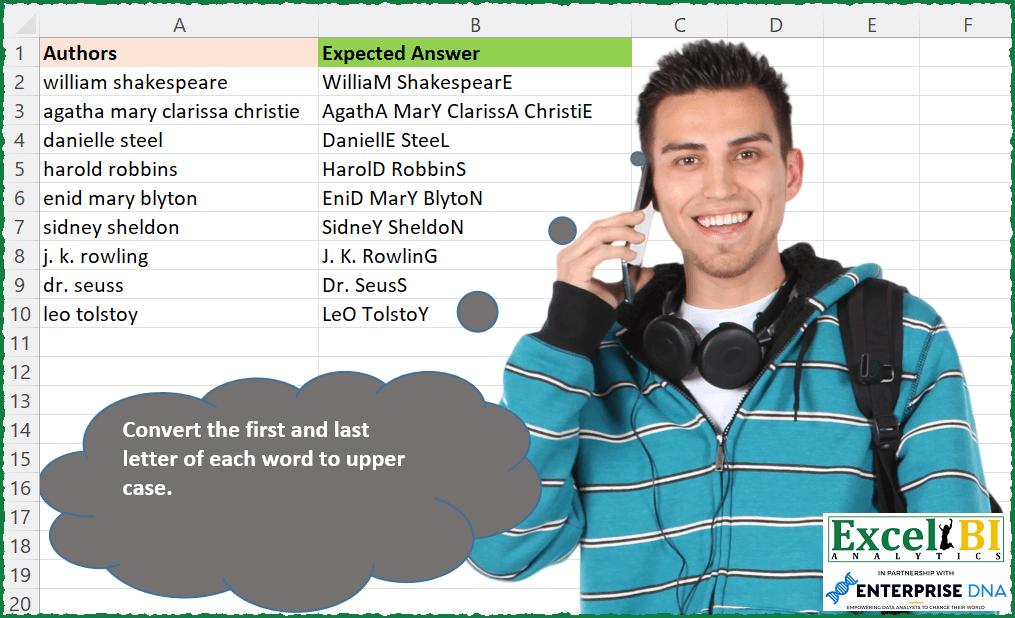
Convert the first and last letters of each word to upper case.
📌 Challenge Details and Links
ExcelBI Excel Challenge Number: 130
Challenge Difficulty: ⭐️
📥Download Sample File
📥Link to the solutions on LinkedIn
Solving the challenge of Capitalize First and Last with Power Query
Power Query solution 1 for Capitalize First and Last, proposed by Bo Rydobon 🇹🇭:
let
  Source = Excel.CurrentWorkbook(){[Name = "Table1"]}[Content],
  Ans = List.Accumulate(
    {"a" .. "z"},
    List.Transform(Table.ToList(Source), each Text.Proper(_) & " "),
    (s, l) =>
      List.Transform(
        s,
        each
          let
            a = Text.Replace(_, l & " ", Text.Upper(l) & " ")
          in
            if l = "z" then Text.Trim(a) else a
      )
  )
in
  Ans
Power Query solution 2 for Capitalize First and Last, proposed by Aditya Kumar Darak 🇮🇳:
let
  Source = Excel.CurrentWorkbook(){[Name = "data"]}[Content],
  Return = Table.AddColumn(
    Source,
    "Output",
    each [
      t1 = Text.Proper([Authors]),
      s = Text.Split(t1, " "),
      t2 = List.Transform(
        s,
        (f) => Text.ReplaceRange(f, Text.Length(f) - 1, 1, Text.Upper(Text.End(f, 1)))
      ),
      r = Text.Combine(t2, " ")
    ][r]
  )
in
  Return
Power Query solution 3 for Capitalize First and Last, proposed by Alejandro Simón 🇵🇦 🇪🇸:
let
 Source = Excel.CurrentWorkbook(){[Name="Table1"]}[Content],
 Sol = Table.TransformColumns(Source, {"Authors", each Text.Combine(List.Transform(Text.Split(Text.Proper(_), " "), each Text.Middle(_,0, Text.Length(_)-1)& Text.Upper(Text.End(_,1) )), " ")})
in
 Sol

Corregido gracias a la observación de Aditya Kumar Darak ya que la query inicial no funcionaba con palabras que terminaran con varias letras iguales.


        Show translation


        Show translation of this comment
Power Query solution 4 for Capitalize First and Last, proposed by Luan Rodrigues:
let
  Fonte = Tabela1,
  list = Table.AddColumn(Fonte, "Personalizar", each Text.Split([Authors], " ")),
  exp = Table.ExpandListColumn(list, "Personalizar"),
  mai = Table.TransformColumns(exp, {{"Personalizar", Text.Proper, type text}}),
  ext = Table.AddColumn(
    mai,
    "Personalizar.1",
    each Text.Proper(List.Last(Text.ToList([Personalizar])))
  ),
  con = Table.AddColumn(
    ext,
    "Personalizar.2",
    each Text.Start([Personalizar], Text.Length([Personalizar]) - 1) & [Personalizar.1]
  ),
  res = Table.Group(
    con,
    {"Authors"},
    {{"Contagem", each Text.Combine(List.Transform(_[Personalizar.2], Text.From), " ")}}
  )
in
  res
Power Query solution 5 for Capitalize First and Last, proposed by Alexis Olson:
let
  Source = Excel.CurrentWorkbook(){[Name = "Table1"]}[Content],
  #"Added Custom" = Table.AddColumn(
    Source,
    "Expected Answer",
    each
      let
        L = Text.Length([Authors]),
        Spaces = Text.PositionOf([Authors], " ", Occurrence.All),
        Result = List.Transform(
          {0 .. L - 1},
          (i) =>
            if List.Contains({1, L} & Spaces, i + 1) then
              Text.Upper(Text.At([Authors], i))
            else
              Text.At(Text.Proper([Authors]), i)
        )
      in
        Text.Combine(Result)
  )
in
  #"Added Custom"
Power Query solution 6 for Capitalize First and Last, proposed by Pavel A.:
let
  listOfDelimiters = {" ", ",", ";"},
  out = Table.TransformColumns(
    inputData,
    {
      "Authors",
      each [
        textAsList = List.Buffer(Text.ToList(_)),
        positionsToUpper = List.Buffer(
          {0}
            & List.Union(
              List.Transform(
                List.PositionOfAny(textAsList, listOfDelimiters, Occurrence.All),
                each {_ - 1 .. _ + 1}
              )
            )
            & {List.Count(textAsList) - 1}
        ),
        out = List.Accumulate(
          List.Positions(textAsList),
          "",
          (state, current) =>
            state
              & (
                if List.Contains(positionsToUpper, current) then
                  Text.Upper(textAsList{current})
                else
                  textAsList{current}
              )
        )
      ][out]
    }
  )
in
  out
Power Query solution 7 for Capitalize First and Last, proposed by Pavel A.:
let
  out = Table.TransformColumns(
    inputData,
    {
      "Authors",
      each Text.Combine(
        List.Transform(
          Text.Split(Text.Proper(_), " "),
          each [
            actWord = _,
            actWordCharacterCount = Text.Length(actWord),
            out = Text.Start(actWord, actWordCharacterCount - 1) & Text.Upper(Text.End(actWord, 1))
          ][out]
        ),
        " "
      ),
      type text
    }
  )
in
  out
Power Query solution 8 for Capitalize First and Last, proposed by Brian Julius:
let
  Source = Excel.CurrentWorkbook(){[Name = "Table1"]}[Content],
  Dupe = Table.DuplicateColumn(Source, "Authors", "Authors2"),
  Split = Table.ExpandListColumn(
    Table.TransformColumns(
      Dupe,
      {
        {
          "Authors2",
          Splitter.SplitTextByDelimiter(" ", QuoteStyle.Csv),
          let
            itemType = (type nullable text) meta [Serialized.Text = true]
          in
            type {itemType}
        }
      }
    ),
    "Authors2"
  ),
  SplitByPos = Table.SplitColumn(
    Split,
    "Authors2",
    Splitter.SplitTextByPositions({0, 1}, true),
    {"Authors2.1", "Authors2.2"}
  ),
  Capitalize = Table.TransformColumns(
    SplitByPos,
    {{"Authors2.1", Text.Proper, type text}, {"Authors2.2", Text.Proper, type text}}
  ),
  Merge = Table.CombineColumns(
    Capitalize,
    {"Authors2.1", "Authors2.2"},
    Combiner.CombineTextByDelimiter("", QuoteStyle.None),
    "Merged"
  ),
  Group = Table.Group(Merge, {"Authors"}, {{"All", each [Merged], type list}}),
  Extract = Table.TransformColumns(
    Group,
    {"All", each Text.Combine(List.Transform(_, Text.From), " "), type text}
  ),
  Rename = Table.RenameColumns(Extract, {{"All", "Answer"}})
in
  Rename
Power Query solution 9 for Capitalize First and Last, proposed by Bhavya Gupta:
let
  Source = Excel.CurrentWorkbook(){[Name = "Table1"]}[Content],
  Final = Table.AddColumn(
    Source,
    "Result",
    each List.Accumulate(
      List.Transform(
        Text.PositionOf([Authors] & " ", " ", 2),
        (m) => Text.Middle([Authors] & " ", m - 1, 2)
      ),
      Text.Proper([Authors]),
      (s, c) => Text.Replace(s & " ", c, Text.Upper(c))
    )
  )
in
  Final
Power Query solution 10 for Capitalize First and Last, proposed by Venkata Rajesh:
let
  Source = Data,
  Result = List.Transform(
    Data[Column1],
    each Text.Combine(
      List.Transform(
        Text.Split(_, " "),
        each Text.ReplaceRange(Text.Proper(_), Text.Length(_) - 1, 1, Text.Upper(Text.End(_, 1)))
      ),
      " "
    )
  )
in
  Result
Power Query solution 11 for Capitalize First and Last, proposed by Krzysztof Kominiak:
let
  Source = Table.FromRows(
    Json.Document(
      Binary.Decompress(
        Binary.FromText(
          "LY3BCgMhDER/JXgu/pB4iGtY083GYiyLf1/RngYeM29CcA+LMN5gBS+yD2EjF1/B4Ym9INzYBhyCjc0QjjKz825kVCYRAutEslDBViVDqymx2kKknLclyehVFzTOSmN+kuQ/enu4/Fw+wnpuf/Ng9LXtEarQq1ivw8X4Aw==",
          BinaryEncoding.Base64
        ),
        Compression.Deflate
      )
    ),
    let
      _t = ((type nullable text) meta [Serialized.Text = true])
    in
      type table [Authors = _t]
  ),
  Result = Table.AddColumn(
    Source,
    "Expected Answer",
    each Text.Combine(
      List.Transform(
        Text.Split(Text.Proper([Authors]), " "),
        each Text.Range(_, 0, Text.Length(_) - 1) & Text.Upper(Text.End(_, 1))
      ),
      " "
    )
  )
in
  Result
Power Query solution 12 for Capitalize First and Last, proposed by Jan Willem Van Holst:
let
  Source = Table.FromRows(
    Json.Document(
      Binary.Decompress(
        Binary.FromText(
          "LY3BCgMhDER/JXgu/pB4iGtY083GYiyLf1/RngYeM29CcA+LMN5gBS+yD2EjF1/B4Ym9INzYBhyCjc0QjjKz825kVCYRAutEslDBViVDqymx2kKknLclyehVFzTOSmN+kuQ/enu4/Fw+wnpuf/Ng9LXtEarQq1ivw8X4Aw==",
          BinaryEncoding.Base64
        ),
        Compression.Deflate
      )
    ),
    let
      _t = ((type nullable text) meta [Serialized.Text = true])
    in
      type table [Authors = _t]
  ),
  #"Added Custom" = Table.AddColumn(
    Source,
    "Answer",
    each
      let
        split = Text.Split([Authors], " "),
        transform = List.Transform(
          split,
          (x) =>
            Text.Upper(Text.Start(x, 1))
              & Text.Range(x, 1, Text.Length(x) - 2)
              & Text.Upper(Text.End(x, 1))
        ),
        result = Text.Combine(transform, " ")
      in
        result
  )
in
  #"Added Custom"
Solving the challenge of Capitalize First and Last with Excel
Excel solution 1 for Capitalize First and Last, proposed by Bo Rydobon 🇹🇭:
=TRIM(REDUCE(PROPER(A2:A10&" "),CHAR(SEQUENCE(26)+64)&" ",LAMBDA(a,v,SUBSTITUTE(a,LOWER(v),v))))Excel solution 2 for Capitalize First and Last, proposed by Rick Rothstein:
=MAP(A2:A10,LAMBDA(a,TEXTJOIN(" ",,MAP(TEXTSPLIT(PROPER(a)," "),LAMBDA(w,LEFT(w,LEN(w)-1)&UPPER(RIGHT(w)))))))Excel solution 3 for Capitalize First and Last, proposed by John V.:
=MAP(PROPER(A2:A10),LAMBDA(x,LET(f,LAMBDA(p,MID(x&" ",p+SEQUENCE(LEN(x)),1)),CONCAT(IF(f(1)=" ",UPPER(f(0)),f(0))))))

✅ =MAP(PROPER(A2:A10),LAMBDA(x,LET(w,TEXTSPLIT(x," "),TEXTJOIN(" ",,LEFT(w,LEN(w)-1)&UPPER(RIGHT(w))))))

✅=TRIM(REDUCE(PROPER(A2:A10)&" ",CHAR(ROW(97:122))&" ",LAMBDA(i,x,SUBSTITUTE(i,x,UPPER(x)))))
Excel solution 4 for Capitalize First and Last, proposed by محمد حلمي:
=MAP(
A2:A10,LAMBDA(a,LET(
a,PROPER(TEXTSPLIT(a," ")),
TEXTJOIN(" ",,LEFT(a,LEN(a)-1)&UPPER(RIGHT(a))))))
Excel solution 5 for Capitalize First and Last, proposed by 🇰🇷 Taeyong Shin:
=REGEXREPLACE(A2:A10,"b(w)(.*?)(?:(w)(?!.))?b","U$1E$2U$3")Excel solution 6 for Capitalize First and Last, proposed by 🇰🇷 Taeyong Shin:
=MAP(A2:A10,LAMBDA(m,
 LET(
 a, PROPER(TEXTSPLIT(m, " ")),
 TEXTJOIN(" ", , MID(a, 1, LEN(a) - 1) & UPPER(RIGHT(a)))
 )
))


=TRIM(REDUCE("", SEQUENCE(MAX(LEN(A2:A10))) + 1, LAMBDA(a,n,
 LET(
 Fx, LAMBDA(x, MID(" " & A2:A10 & " ", x, 1)),
 a & IF(MMULT(--(Fx(n + {1,-1}) = " "), {1;1}), UPPER(Fx(n)), Fx(n))
 )
)) )
Excel solution 7 for Capitalize First and Last, proposed by Kris Jaganah:
=MAP(A2:A10,LAMBDA(x,LET(b,TEXTSPLIT(PROPER(x)," "),TEXTJOIN(" ",,REPLACE(b,LEN(b),1,UPPER(RIGHT(b)))))))Excel solution 8 for Capitalize First and Last, proposed by Julian Poeltl:
=MAP(A2:A10,LAMBDA(S,LET(SP,PROPER(TEXTSPLIT(S," ")),L,LEN(SP),TEXTJOIN(" ",,LEFT(SP,L-1)&UPPER(RIGHT(SP,1))))))Excel solution 9 for Capitalize First and Last, proposed by Aditya Kumar Darak 🇮🇳:
=MAP(
 A2:A10,
 LAMBDA(a,
 LET(
 s, TEXTSPLIT(a, " "),
 l, UPPER(LEFT(s)),
 m, MID(s, 2, LEN(s) - 2),
 rh, UPPER(RIGHT(s)),
 r, TEXTJOIN(" ", 1, l & m & rh),
 r
 )
 )
)
Excel solution 10 for Capitalize First and Last, proposed by Aditya Kumar Darak 🇮🇳:
=MAP(
 A2:A10,
 LAMBDA(a,
 LET(
 s, TEXTSPLIT(a, " "),
 t1, PROPER(LEFT(s, LEN(s) - 1)),
 t2, UPPER(RIGHT(s)),
 r, TEXTJOIN(" ", 1, t1 & t2),
 r
 )
 )
)
Excel solution 11 for Capitalize First and Last, proposed by Timothée BLIOT:
=LET(A,TEXTSPLIT(TEXTJOIN("/",,A2:A10)," ","/"),
BYROW(IFERROR(MAP(A,LAMBDA(a,UPPER(LEFT(a))&MID(a,2,LEN(a)-2)&UPPER(RIGHT(a)))),""), LAMBDA(x, TEXTJOIN(" ",,x) )))
Excel solution 12 for Capitalize First and Last, proposed by Hussein SATOUR:
=MAP(A2:A10, LAMBDA(x,
 TEXTJOIN(" ",,
 MAP(TEXTSPLIT(PROPER(x), " "),
 LAMBDA(y, LEFT(y, LEN(y) - 1) & UPPER(RIGHT(y)))
 ))))
Excel solution 13 for Capitalize First and Last, proposed by Sunny Baggu:
=MAP(A2:A10,LAMBDA(a,
LET(_aut,a,
_let,MID(_aut,SEQUENCE(LEN(_aut)),1),_nos,SEQUENCE(LEN(_aut)),
_nsp,LEN(_aut)-LEN(SUBSTITUTE(_aut," ","")),
_sploc,UNIQUE(TOCOL(SEARCH(" ",_aut,SEQUENCE(LEN(_aut))),3),),
_letloc,VSTACK(1,TOCOL(TOCOL(_sploc)+{-1,1}),LEN(_aut)),
_cri,IFERROR(XMATCH(_nos,_letloc),0),
_result,CONCAT(IF(_cri,UPPER(_let),_let)),_result)))
Excel solution 14 for Capitalize First and Last, proposed by Bhavya Gupta:
=MAP(A2:A10,LAMBDA(x,LET(t,PROPER(TEXTSPLIT(x,," ")),TEXTJOIN(" ",,REPLACE(t,LEN(t),1,UPPER(RIGHT(t)))))))Excel solution 15 for Capitalize First and Last, proposed by Md. Zohurul Islam:
=LET(
 z, A2:A10,
 w, MAP(
 z,
 LAMBDA(p,
 LET(
 q, TEXTSPLIT(p, " "),
 s, MAP(
 q,
 LAMBDA(x,
 LET(
 sq, SEQUENCE(LEN(x)),
 a, MID(x, sq, 1),
 b, VSTACK(MIN(sq), MAX(sq)),
 c, UPPER(XLOOKUP(b, sq, a)),
 d, IFNA(XLOOKUP(sq, b, c), a),
 e, CONCAT(d),
 e
 )
 )
 ),
 u, TEXTJOIN(" ", , s),
 u
 )
 )
 ),
 w
)
_x000D_
Excel solution 16 for Capitalize First and Last, proposed by Jaroslaw Kujawa:
=BYROW(AQ2:AQ10, LAMBDA( a, LET(b, TEXTSPLIT(PROPER(a), ," "), TEXTJOIN(" ", , LEFT(b, LEN(b)-1)&UPPER(RIGHT(b))))))_x000D_
_x000D_
Excel solution 17 for Capitalize First and Last, proposed by Tolga Demirci, PMP, PMI-ACP, MOS-Expert:
=MAP(A2:A10;LAMBDA(x;LET(a;PROPER(TEXTJOIN(;;MID(PROPER(x);LEN(PROPER(x))+1-SEQUENCE(LEN(PROPER(x)));1)));TEXTJOIN(" ";;UPPER(LEFT(TEXTSPLIT(TEXTJOIN(;;MID(a;LEN(a)+1-SEQUENCE(LEN(a));1));" ";;;0;);1))&RIGHT(TEXTSPLIT(TEXTJOIN(;;MID(a;LEN(a)+1-SEQUENCE(LEN(a));1));" ";;;0;);LEN(TEXTSPLIT(TEXTJOIN(;;MID(a;LEN(a)+1-SEQUENCE(LEN(a));1));" ";;;0;))-1)))))
_x000D_
_x000D_
Excel solution 18 for Capitalize First and Last, proposed by Stefan Olsson:
=ArrayFormula(
BYROW(A2:A10,
LAMBDA(name,
JOIN("", PROPER(REGEXEXTRACT(name, REPT("(^|s)(?:(.*?)(.))?",5)&"$")))
)))
_x000D_
_x000D_
Excel solution 19 for Capitalize First and Last, proposed by Guillermo Arroyo:
=MAP(A2:A10,LAMBDA(_a,LET(_f,LAMBDA(_b,_c,CONCAT(MAP(SEQUENCE(,_c),LAMBDA(_e,LET(_t,MID(_b,_e,1),IF(OR(_e=1,_e=_c),UPPER(_t),LOWER(_t))))))),TEXTJOIN(" ",,MAP(TEXTSPLIT(_a," "),LAMBDA(_p,_f(_p,LEN(_p))))))))
_x000D_
_x000D_
Excel solution 20 for Capitalize First and Last, proposed by Anup Kumar:
=BYROW(A2:A10,
LAMBDA(inputStr,
LET(
str,inputStr,
split, TEXTSPLIT(str,," "),
firstCap, UPPER(LEFT(split,1)),
middleText, LOWER(MID(split,2,LEN(split)-2)),
lastCap, UPPER(RIGHT(split,1)),
TEXTJOIN(" ",,firstCap&middleText&lastCap)
)
)
)
_x000D_
_x000D_
Excel solution 21 for Capitalize First and Last, proposed by Rayan S.:
=MAP(
 A2:A10,
 LAMBDA(a,
 LET(
 s, PROPER(TEXTSPLIT(a, " ")),
 r, UPPER(RIGHT(s, 1)),
 TEXTJOIN(" ", , LEFT(s, LEN(s) - 1) & r))))
_x000D_
_x000D_
Excel solution 22 for Capitalize First and Last, proposed by Rayan S.:
=MAP(
 A2:A10,
 LAMBDA(a,
 LET(
 space, TOCOL(PROPER(TEXTSPLIT(a, " "))),
 Right, IF(
 UNICODE(RIGHT(space, 1)) > 64,
 CHAR(UNICODE(RIGHT(space, 1)) - 32),
 RIGHT(space, 1)
 ),
 TEXTJOIN(" ", , LEFT(space, LEN(space) - 1) & Right)
 )
 )
)
_x000D_
_x000D_
Excel solution 23 for Capitalize First and Last, proposed by Juliano Santos Lima:
=MAP(A2:A10,LAMBDA(m,TEXTJOIN(" ",,MID(PROPER(TEXTSPLIT(m," ")),1,LEN(PROPER(TEXTSPLIT(m," "))) - 1) & UPPER(RIGHT(PROPER(TEXTSPLIT(m," ")))))))
_x000D_
_x000D_
Excel solution 24 for Capitalize First and Last, proposed by Stevenson Yu:
=MAP(A2:A10, LAMBDA(A, LET(B, MID(A, SEQUENCE(LEN(A)),1),CONCAT(IF(((VSTACK(DROP(B,1)," ")=" ")+(DROP(VSTACK(" ",B),-1)=" "))>0,UPPER(B),B)))))
_x000D_
&&