
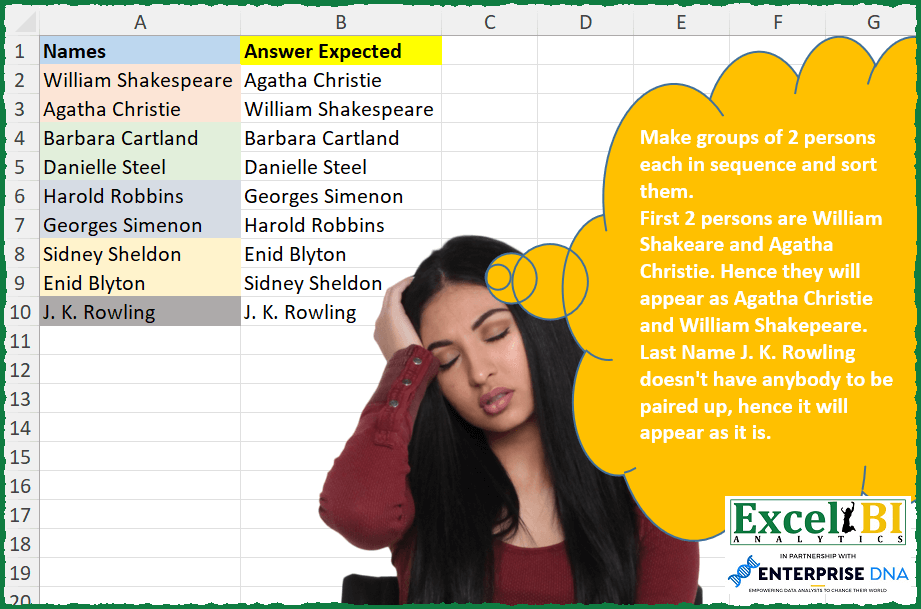
Challenge No. 288: Make groups of 2 persons each in sequence and sort them.
Solved using: Python in Excel.
Challenges categorized by topic.
Challenge No. 288: Make groups of 2 persons each in sequence and sort them.
Solved using: Python in Excel.
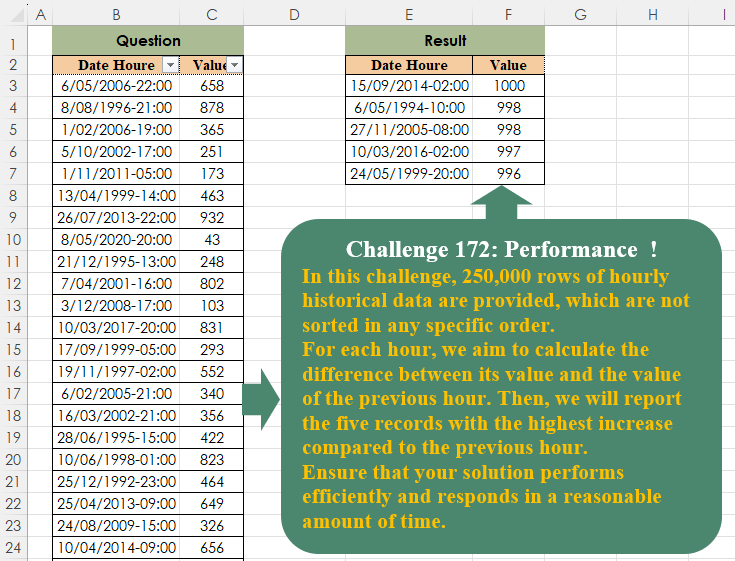
Challenge No. 172: In this challenge, 250,000 rows of hourly historical data are provided, which are not sorted in any specific order.
Solved using:Excel (DROP, LET, SORT), Google Sheets, Power Query (Table.AddColumn, Table.Sort), Python, Python in Excel, and R.
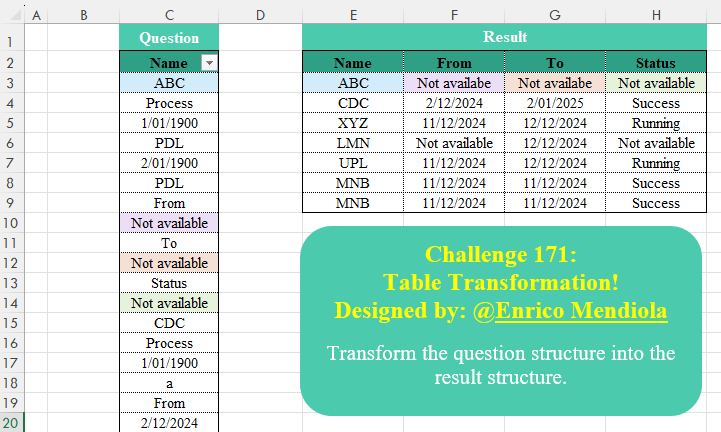
Challenge No. 171: Transform the question structure into the result structure.
Solved using:Excel (DROP, FILTER, HSTACK), Google Sheets, Power Query (List.Transform), Python, Python in Excel, and R.

Challenge No. 170: Given a N*N board with the Knight placed on the first block of an empty board.
Solved using:Excel, Python, and Python in Excel.

Challenge No. 100: Per day rates for every person for a duration is given.
Solved using: Python in Excel.

Challenge No. 282: An anagram is a word which is made by arranging the letters of another word.
Solved using: Python in Excel.
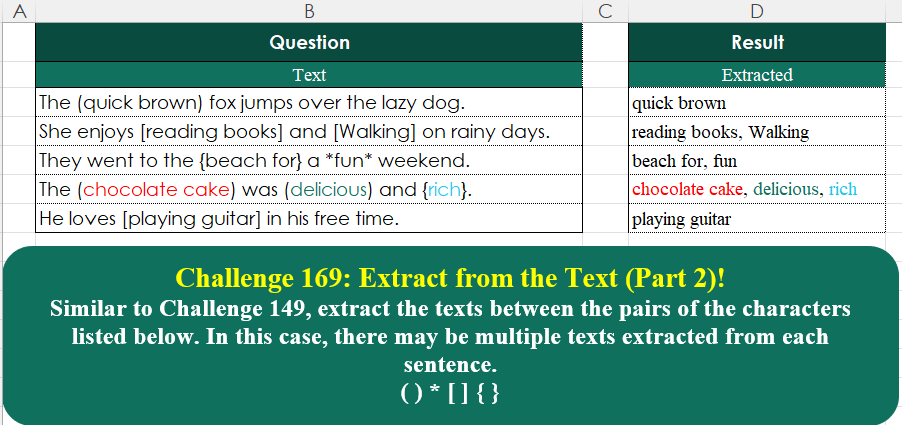
Challenge No. 169: Similar to Challenge 149, extract the texts between the pairs of the characters listed below.
Solved using:Excel (ARRAYTOTEXT, LAMBDA, MAP), Google Sheets, Power Query (List.Split, List.Transform, Text.Combine), Python, Python in Excel, and R.

Challenge No. 99: Find when the Min and Max occurred for various months and corresponding dates.
Solved using: Power Query (Text.Combine).
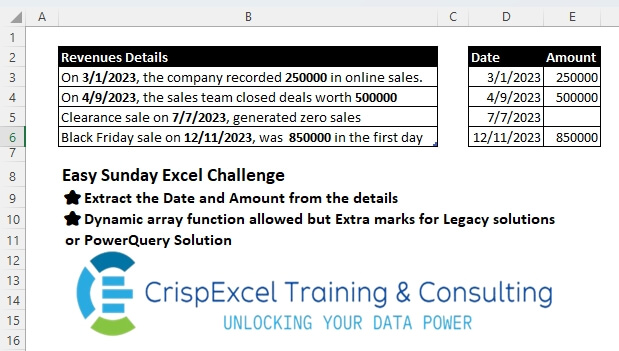
Challenge No. 45: Extract the Date and Amount from the details
Dynamic array function allowed, but Extra marks for Legacy solutions or PowerQuery Solutions.
Solved using: Python.
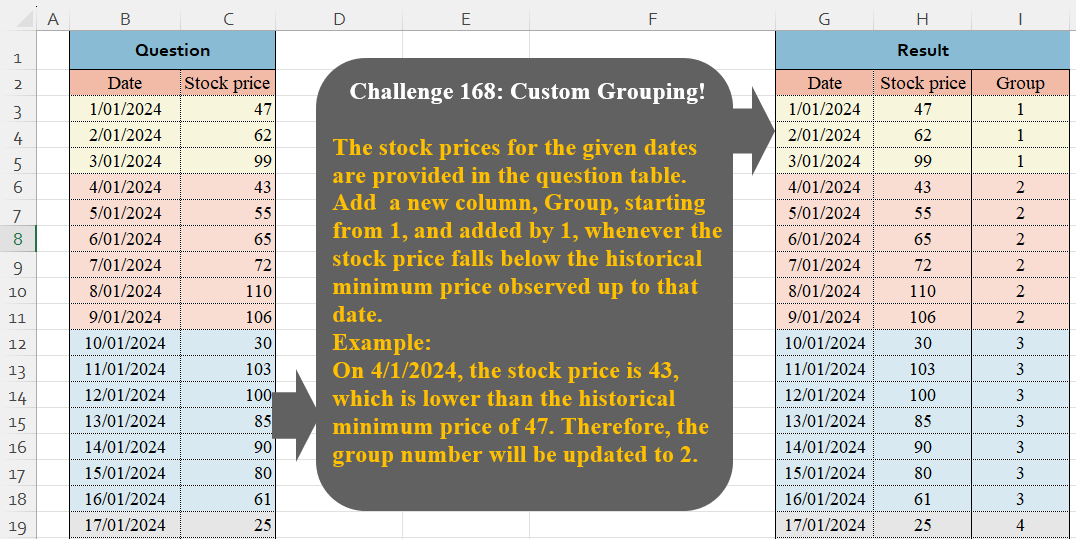
Challenge No. 168: The stock prices for the given dates are provided in the question table.
Solved using:Excel (IF, LAMBDA, LET), Google Sheets, Power Query (Table.Group, Table.AddIndexColumn, Table.ExpandTableColumn), Python, Python in Excel, and R.