
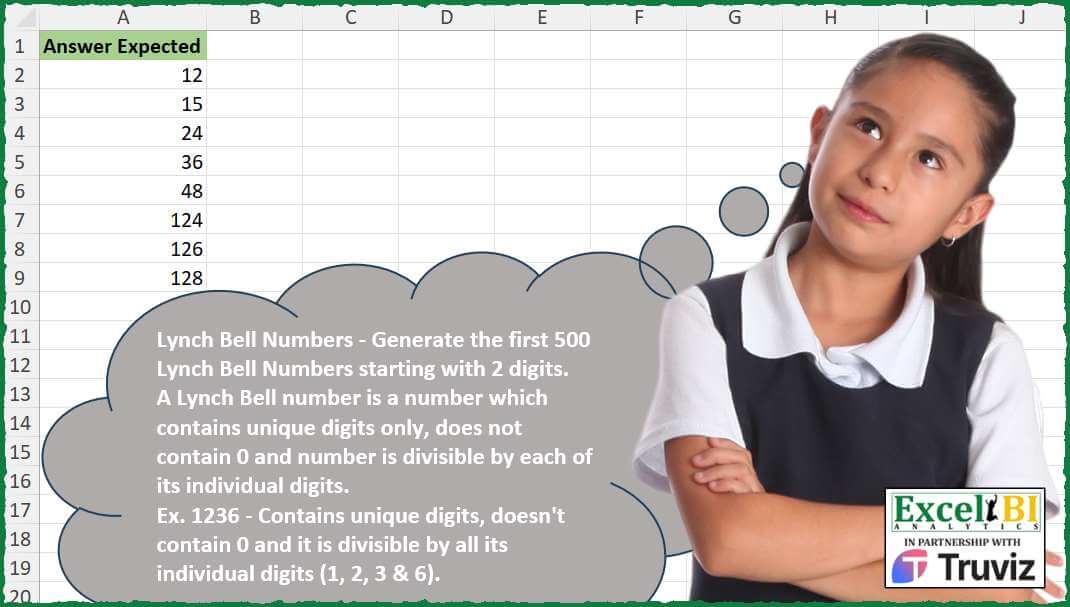
Lynch Bell Numbers – Generate the first 500 Lynch Bell Numbers starting with 2 digits. A Lynch Bell number is a number which contains unique digits only, does not contain 0 and number is divisible by each of its individual digits. Ex. 1236 – Contains unique digits, doesn’t contain 0 and it is divisible by all its individual digits (1, 2, 3 & 6).
📌 Challenge Details and Links
ExcelBI Excel Challenge Number: 499
Challenge Difficulty: ⭐️⭐️⭐️
📥Download Sample File
📥Link to the solutions on LinkedIn
Solving the challenge of Generate Lynch Bell Numbers with Power Query
Power Query solution 1 for Generate Lynch Bell Numbers, proposed by Bo Rydobon 🇹🇭:
let
  S = {"1" .. "9"},
  CP = List.RemoveFirstN(
    List.Accumulate(
      {0 .. 6},
      {""},
      (a, i) =>
        let
          b = List.Select(a, each Text.Length(_) = i)
        in
          a
            & List.Combine(
              List.Transform(
                b,
                each List.RemoveNulls(
                  List.Transform(S, (n) => if Text.Contains(_, n) then null else _ & n)
                )
              )
            )
    ),
    10
  ),
  Bell = List.RemoveNulls(
    List.Transform(
      CP,
      each
        let
          n = Number.From(_)
        in
          if List.AllTrue(List.Transform(Text.ToList(_), (d) => Number.Mod(n, Number.From(d)) = 0)) then
            n
          else
            null
    )
  )
in
  Bell
Power Query solution 2 for Generate Lynch Bell Numbers, proposed by Alejandro Simón 🇵🇦 🇪🇸:
let
  Origen = List.RemoveFirstN(
    List.Generate(
      () => [x = 10, y = 0],
      each [y] <= 500,
      each [
        x = [x] + 1,
        s = List.Transform(Text.ToList(Text.From(x)), Number.From),
        t = List.AllTrue(List.Transform(s, each Number.Mod(x, _) = 0)),
        v = t and not List.Contains(s, 0) and List.Distinct(s) = s,
        y = if v then [y] + 1 else [y]
      ],
      each Record.ToList([[x], [v]])
    )
  ),
  Sol = List.Transform(List.Select(Origen, each _{1} = true), each _{0})
in
  Sol
Power Query solution 3 for Generate Lynch Bell Numbers, proposed by Brian Julius:
let
 Source = Web.BrowserContents("https://oeis.org/A115569/b115569.txt"),
 ToTable = hashtag#table(1, {{Source}}),
 Clean = Table.Skip( Table.ExpandListColumn(Table.TransformColumns(ToTable, {{"Column1", Splitter.SplitTextByDelimiter(" ", QuoteStyle.Csv) }}), "Column1"), 13),
 Split = Table.FirstN( Table.SplitColumn(Clean, "Column1", Splitter.SplitTextByCharacterTransition((c) => not List.Contains({"0".."9"}, c), {"0".."9"}), {"LynchBellNum"}), 500)
in
 Split
Power Query solution 4 for Generate Lynch Bell Numbers, proposed by Abdallah Ally:
let
  is_lynch_bell_number = (x) =>
    let
      str_num = Text.From(x),
      str_nums = Text.ToList(str_num),
      str_length = Text.Length(str_num),
      statuses = List.Transform(
        str_nums,
        each if _ = "0" then 0 else if Number.Mod(x, Number.From(_)) = 0 then 1 else 0
      ),
      cond = List.IsDistinct(str_nums) and str_length = List.Sum(statuses)
    in
      cond,
  select = List.Select(
    List.Buffer(List.Numbers(10, Number.Power(10, 7))),
    each is_lynch_bell_number(_)
  ),
  result = List.FirstN(select, 500)
in
  result
Power Query solution 5 for Generate Lynch Bell Numbers, proposed by Ahmed Ariem:
let
  LynchBell = (num as number) as logical =>
    let
      digits = Text.ToList(Text.From(num)),
      uniqueDigits = List.Distinct(digits),
      noZero = not List.Contains(digits, "0"),
      allUnique = List.Count(digits) = List.Count(uniqueDigits),
      allDivisible = List.AllTrue(
        List.Transform(digits, each Number.Mod(num, Number.FromText(_)) = 0)
      )
    in
      noZero and allUnique and allDivisible,
  Source = List.Buffer({10 .. 9999999}),
  Filtered = List.Select(Source, each LynchBell(_)),
  First500 = List.FirstN(Filtered, 500),
  Result = Table.FromList(First500, Splitter.SplitByNothing(), null, null, ExtraValues.Error)
in
  Result
Solving the challenge of Generate Lynch Bell Numbers with Excel
Excel solution 1 for Generate Lynch Bell Numbers, proposed by Bo Rydobon 🇹🇭:
=LET(
    s,
    SEQUENCE(
        ,
        9
    ),
    r,
    DROP(
        REDUCE(
            "",
            SEQUENCE(
                7
            ),
            LAMBDA(
                a,
                i,
                LET(
                    b,
                    FILTER(
                        a,
                        LEN(
                            a
                        )=i-1
                    ),
                    VSTACK(
                        a,
                        TOCOL(
                            IFS(
                                ISERR(
                                    FIND(
                                        s,
                                        b
                                    )
                                ),
                                b&s
                            ),
                            3
                        )
                    )
                )
            )
        ),
        10
    ),

    --FILTER(
        r,
        MAP(
            r,
            LAMBDA(
                n,
                1-OR(
                    MOD(
                        n,
                        MID(
                            n,
                            SEQUENCE(
                                LEN(
                                    n
                                )
                            ),
                            1
                        )
                    )
                )
            )
        )
    )
)
Excel solution 2 for Generate Lynch Bell Numbers, proposed by John V.:
=TAKE(TOCOL(MAP(SEQUENCE(8^6,30,11),LAMBDA(x,LET(i,MID(x,SEQUENCE(LEN(x)),1),x/AND(ROWS(i)=ROWS(UNIQUE(i)),MOD(x,i)=0,ISERR(FIND(0,x)))))),2),500)Excel solution 3 for Generate Lynch Bell Numbers, proposed by محمد حلمي:
=TOCOL(
    MAP(
        SEQUENCE(
            50000
        )+9,
        LAMBDA(
            a,

            MAP(
                a,
                LAMBDA(
                    x,
                    LET(
                        i,
                        MID(
                            x,
                            SEQUENCE(
                                LEN(
                                    x
                                )
                            ),
                            1
                        ),

                        x/AND(
                            ROWS(
                                i
                            )=ROWS(
                                UNIQUE(
                                i
                            )
                            ),
                            MOD(
                                x,
                                i
                            )=0
                        )
                    )
                )
            )
        )
    ),
    2
)
Excel solution 4 for Generate Lynch Bell Numbers, proposed by Julian Poeltl:
=LET(S,
    SEQUENCE(
        10^6,
        ,
        10
    ),
    FILTER(S,
    MAP(S,
    LAMBDA(N,
    LET(SP,
    MID(
        N,
        SEQUENCE(
            LEN(
                N
            )
        ),
        1
    ),
    IFERROR(
        SUM(
            MOD(
                N,
                SP
            )
        )=0,
        0
    )*(COUNTA(
        UNIQUE(
            SP
        )
    )=LEN(
                N
            )))))))
Excel solution 5 for Generate Lynch Bell Numbers, proposed by Timothée BLIOT:
=LET(A,SEQUENCE(,9),B,--DROP(REDUCE("",ROW(1:7),LAMBDA(w,v,LET(C, FILTER(w,LEN(w)=v-1),VSTACK(w,TOCOL(IF(ISERR(FIND(A,C)),C&A,1/0),3))))), 10),TAKE(FILTER(B,BYROW(NOT(ISERROR(FIND(A,B)))*(MOD(B,A)),LAMBDA(x,SUM(x)=0))),500))Excel solution 6 for Generate Lynch Bell Numbers, proposed by Duy Tùng:
=x/a,ISERR(FIND(0,x)))))),3)Excel solution 7 for Generate Lynch Bell Numbers, proposed by Sunny Baggu:
=LET(
 r,
     SEQUENCE(
         7613928 / 10,
          11,
          11
     ),

 TAKE(
 TOCOL(
 IF(
 MAP(
 r,

 LAMBDA(t,

 LET(
 m,
     MID(
         t,
          SEQUENCE(
              LEN(
                  t
              )
          ),
          1
     ),

 (SUM(
     N(
         UNIQUE(
             m
         ) <> "0"
     )
 ) = ROWS(
             m
         )) *
 (AND(
     MOD(
         t,
          m
     ) = 0
 ))
 )
 )
 ),

 r,

 z
 ),

 3
 ),

 500
 )
)
Excel solution 8 for Generate Lynch Bell Numbers, proposed by Anshu Bantra:
= []
num = 12
while len(lynch) < 500:
 if    '0' not in (num_str := str(num))
 and sum([num%int(_) for _ in num_str])==0
 and len(num_str)==len(set(num_str)):
 lynch.append(num)
Excel solution 9 for Generate Lynch Bell Numbers, proposed by Bilal Mahmoud kh.:
=LET(s,
    LAMBDA(x,
    LET(n,
    FILTER(
        x,
        MAP(
            x,
            LAMBDA(
                x,
                COUNTA(
                    LET(
                        a,
                        UNIQUE(
                            MID(
                                x,
                                SEQUENCE(
                                    LEN(
                                        x
                                    )
                                ),
                                1
                            )
                        ),
                        FILTER(
                            a,
                            a=a
                        )
                    )
                )=LEN(
                                        x
                                    )
            )
        )
    ),
    m,
    MAP(n,
    LAMBDA(y,
    AND(MOD(y,
    (--MID(
        y,
        SEQUENCE(
            LEN(
                y
            )
        ),
        1
    )))=0))),
    FILTER(
        n,
        IFERROR(
            m,
            FALSE
        )
    ))),
    VSTACK(
        s(
            SEQUENCE(
                999999,
                ,
                10
            )
        ),
        s(
            SEQUENCE(
                99999,
                ,
                9999
            )
        )
    ))
Excel solution 10 for Generate Lynch Bell Numbers, proposed by Tolga Demirci, PMP, PMI-ACP, MOS-Expert:
=LET(e,SEQUENCE(1048575,,1,1),FILTER(e,(NOT(ISNUMBER(SEARCH("0",MAP(e,LAMBDA(a,TEXTJOIN(",",,MID(a,SEQUENCE(LEN(a)),1))))))))*(MAP(e,LAMBDA(a,COUNTA(MID(a,SEQUENCE(LEN(a)),1))))>1)*(MAP(e,LAMBDA(a,COUNTA(MID(a,SEQUENCE(LEN(a)),1))))=MAP(e,LAMBDA(x,COUNTA(UNIQUE(MID(x,SEQUENCE(LEN(x)),1))))))*(MAP(e,LAMBDA(q,LET(j,q,LET(i,(j/MID(j,SEQUENCE(LEN(j)),1)),SUM(IF(IFERROR(i=INT(i),0),1,0))=COUNTA(i))))))>0))Excel solution 11 for Generate Lynch Bell Numbers, proposed by Edwin Tisnado:
=DROP(
    TOCOL(
        MAKEARRAY(
            7620000,
            1,
            LAMBDA(
                x,
                y,
                LET(
                    v,
                    MID(
                        x,
                        SEQUENCE(
                            LEN(
                                x
                            )
                        ),
                        1
                    ),
                    u,
                    --CONCAT(
                        UNIQUE(
                            v
                        )
                    ),
                    x/AND(
                        u=x,
                        MOD(
                            x,
                            v
                        )=0
                    )
                )
            )
        ),
        3
    ),
    9
)
Solving the challenge of Generate Lynch Bell Numbers with Python
Python solution 1 for Generate Lynch Bell Numbers, proposed by Konrad Gryczan, PhD:
import pandas as pd
path = "499 Lynch Bell Numbers.xlsx"
test = pd.read_excel(path, usecols="A").values.flatten().tolist()
def check_lynchbell(n):
 s = str(n)
 if "0" in s or len(set(s)) < len(s) or n <= 10: return False
 return all(n%int(d) == 0 for d in s)
numbers = [k for k in range(9876543) if check_lynchbell(k)][:500]
print(test == numbers) # True
Python solution 2 for Generate Lynch Bell Numbers, proposed by Gertjan Davies:
list_of_solutions = []
counter: int = 10 # Starting from double digits
def return_list_of_nonzero_and_unique_digits(number: int) -> list[int]|None:
 """
 """
 numbered_string = str(number)
 if '0' in numbered_string:
 return None
 unique_digits = set(numbered_string)
 return None if len(unique_digits) != len(numbered_string) else [int(x) for x in unique_digits]
def are_all_digits_divisors(digits: list[int], number: int) -> bool:
 for digit in digits:
 if number % digit != 0:
 return False

 return True
while len(list_of_solutions) < 500:
 digits = return_list_of_nonzero_and_unique_digits(counter)
 if digits:
 if are_all_digits_divisors(digits=digits, number=counter):
 list_of_solutions.append(counter)
 counter += 1
print(list_of_solutions)
Solving the challenge of Generate Lynch Bell Numbers with Python in Excel
Python in Excel solution 1 for Generate Lynch Bell Numbers, proposed by Alejandro Campos:
def es_numero_lynch_bell(num):
 s = str(num)
 return '0' not in s and len(set(s)) == len(s) and all(num % int(d) == 0 for d in s)
def generar_numeros_lynch_bell(n):
 return [x for x in range(10, int(1e6)) if es_numero_lynch_bell(x)][:n]
lynch_bell_numeros = generar_numeros_lynch_bell(500)
lynch_bell_numeros
Python in Excel solution 2 for Generate Lynch Bell Numbers, proposed by Abdallah Ally:
# Create a function to generate Lynch Bell Numbers
def generate_lynch_bell_numbers(size):
 numbers = []
 number = 10
 while len(n&umbers) < size:
 str_num = str(number)
 cond1 = len(str_num) == len(set(str_num))
 cond2 = all(
 [
 False if char == '0' else
 number/int(char) == int(number/int(char))
 for char in str_num
 ]
 )
 if cond1 and cond2:
 numbers.append(number)
 number += 1
 return numbers
numbers = generate_lynch_bell_numbers(500)
numbers
Python in Excel solution 3 for Generate Lynch Bell Numbers, proposed by Abdallah Ally:
from itertools import islice, count
# Create a function to check if a number
# is Lynch Bell Number or not
def is_lynch_bell_number(number):
 str_num = str(number)
 cond1 = len(str_num) == len(set(str_num))
 cond2 = all(
 [
 False if char == '0' else
 number/int(char) == number//int(char)
 for char in str_num
 ]
 )
 return cond1 and cond2
numbers = filter(lambda x: is_lynch_bell_number(x), count(10))
numbers = list(islice(numbers, 500))
numbers
Solving the challenge of Generate Lynch Bell Numbers with R
R solution 1 for Generate Lynch Bell Numbers, proposed by Anil Kumar Goyal:
library(tidyverse)
library(combinat)
library(readxl)
# A helper function
check_bell <- function(x){
 # Extract digits
 digits <- str_split(x, "") |>
 unlist() |>
 as.integer()
 # check divisibility
 x[all(as.integer(x) %% digits == 0)]
}
# start with empty vectors
bell_numbers <- c()
i <- 2
while(length(bell_numbers) < 500){
 new_nos <- 1:9 %>%
 combn(i) %>%
 apply(2, (.y) permn(.y, str_flatten)) %>%
 unlist() %>%
 map(check_bell) %>%
 unlist() %>%
 as.numeric() %>%
 sort()
 bell_numbers <- c(bell_numbers, new_nos)
 i <- i + 1
}
bell_numbers <- head(sort(bell_numbers), 500)
bell_numbers
GIVEN <- readxl::read_excel("Excel/Excel_Challenge_499 - Lynch Bell Numbers.xlsx")
identical(bell_numbers, GIVEN$`Answer Expected`)
Solving the challenge of Generate Lynch Bell Numbers with Excel VBA
Excel VBA solution 1 for Generate Lynch Bell Numbers, proposed by Nicolas Micot:
VBA solution:
Function first_500_Lynch_Numbers() As Variant
Dim Lynch_Numbers(1 To 500, 1 To 1) As Variant
nb_found = 0
number_to_test = 11
Do
 'does not contain 0
 If InStr(1, CStr(number_to_test), "0") > 0 Then
 GoTo next_number
 End If
 For i = 1 To Len(CStr(number_to_test))
 digit_to_test = Mid(CStr(number_to_test), i, 1) + 0
 'digit is unique
 If Len(CStr(number_to_test)) - Len(Replace(CStr(number_to_test), CStr(digit_to_test), "")) > 1 Then
 GoTo next_number
 End If
 'is divisible by digit
 If Not (number_to_test / digit_to_test) = (number_to_test  digit_to_test) Then
 GoTo next_number
 End If
 Next i
 'if not discarded
 nb_found = nb_found + 1
 Lynch_Numbers(nb_found, 1) = number_to_test
next_number:
 number_to_test = number_to_test + 1
Loop Until nb_found = UBound(Lynch_Numbers, 1)
first_500_Lynch_Numbers = Lynch_Numbers
End Function
&&