
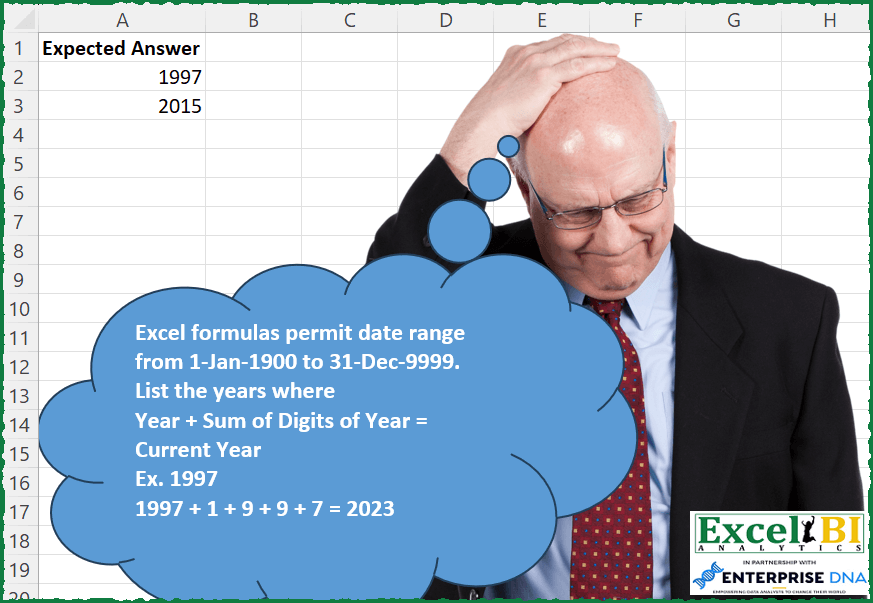
Excel formulas permit date range from 1-Jan-1900 to 31-Dec-9999. List the years where Year + Sum of Digits of Year = Current Year Ex. 1997 1997 + 1 + 9 + 9 + 7 = 2023
📌 Challenge Details and Links
ExcelBI Excel Challenge Number: 192
Challenge Difficulty: ⭐️
📥Download Sample File
📥Link to the solutions on LinkedIn
Solving the challenge of Year Plus Digits Equals Current with Power Query
Power Query solution 1 for Year Plus Digits Equals Current, proposed by Bo Rydobon 🇹🇭:
let
  Source =
    let
      n = Date.Year(DateTime.LocalNow())
    in
      List.Select(
        {1900 .. n},
        each List.Sum(List.Transform(Text.ToList(Text.From(_)), Number.From)) + _ = n
      )
in
  Source
Power Query solution 2 for Year Plus Digits Equals Current, proposed by Alejandro Simón 🇵🇦 🇪🇸:
let
  Source = Date.Year(DateTime.LocalNow()),
  Sol = List.Transform(
    List.Select(
      List.Transform(
        {1900 .. 9999},
        each
          let
            a = _,
            b = Text.ToList(Text.From(a)),
            c = List.Sum(List.Transform(b, each Number.From(_))) + a,
            d = List.Zip({{a}, {c}}){0}
          in
            d
      ),
      each _{1} = Source
    ),
    each _{0}
  )
in
  Sol
Power Query solution 3 for Year Plus Digits Equals Current, proposed by Brian Julius:
let
  CurrentYear = Date.Year(DateTime.FixedLocalNow()),
  Source = Table.FromList(
    {1900 .. CurrentYear},
    Splitter.SplitByNothing(),
    {"Answer"},
    null,
    ExtraValues.Error
  ),
  AddSumDigits = Table.AddColumn(
    Source,
    "SumDigits",
    each [
      a = [Answer],
      b = Text.From(a),
      c = Text.ToList(b),
      d = List.Transform(c, each Number.From(_)),
      e = List.Sum(d),
      f = a + e
    ][f]
  ),
  Filter = Table.RemoveColumns(
    Table.SelectRows(AddSumDigits, each [SumDigits] = CurrentYear),
    "SumDigits"
  )
in
  Filter
Power Query solution 4 for Year Plus Digits Equals Current, proposed by Rafael González B.:
let
  Ldates = Table.FromList(
    {1900 .. 9999},
    Splitter.SplitByNothing(),
    {"Years"},
    null,
    ExtraValues.Error
  ),
  Result = Table.SelectRows(
    Table.AddColumn(
      Ldates,
      "YearsDigits",
      each
        if [Years]
          + List.Sum(List.Transform(Text.ToList(Text.From([Years])), each Number.From(_)))
            = Date.Year(Date.From(DateTime.LocalNow()))
        then
          1
        else
          0
    ),
    each [YearsDigits] = 1
  )[[Years]]
in
  Result
Solving the challenge of Year Plus Digits Equals Current with Excel
Excel solution 1 for Year Plus Digits Equals Current, proposed by Bo Rydobon 🇹🇭:
=LET(n,YEAR(NOW()),s,SEQUENCE(YEAR(NOW())-1900,,1900),TOCOL(s/(s-MMULT(-MID(s,{1,2,3,4},1),{1;1;1;1})=n),3))Excel solution 2 for Year Plus Digits Equals Current, proposed by Rick Rothstein:
=LET(s,SEQUENCE(400,,1900),FILTER(s,MAP(s,LAMBDA(x,2023=x+SUM(0+MID(x,{1,2,3,4},1))))))Excel solution 3 for Year Plus Digits Equals Current, proposed by John V.:
=LET(y,ROW(1900:2100),FILTER(y,y-MMULT(-MID(y,{1,2,3,4},1),{1;1;1;1})=YEAR(NOW())))Excel solution 4 for Year Plus Digits Equals Current, proposed by محمد حلمي:
=LET(r,SEQUENCE(8100,,1900),FILTER(r,BYROW(r,LAMBDA(a,a+SUM(--MID(a,SEQUENCE(,4),1))))=YEAR(NOW())))Excel solution 5 for Year Plus Digits Equals Current, proposed by Kris Jaganah:
=LET(a,SEQUENCE(9999-1900+1,,1900),b,BYROW(HSTACK(a,--MID(J2#,{1,2,3,4},1)),LAMBDA(x,SUM(x))),FILTER(a,b=2023))Excel solution 6 for Year Plus Digits Equals Current, proposed by Julian Poeltl:
=LET(S,SEQUENCE(9999-1900+1,,1900),FILTER(S,S+MAP(S,LAMBDA(A,SUM(--MID(A,SEQUENCE(,4),1))))=2023))Excel solution 7 for Year Plus Digits Equals Current, proposed by Aditya Kumar Darak 🇮🇳:
=LET(
 _tday, TODAY(),
 _y, YEAR(_tday),
 _sq, SEQUENCE(_y - 1900, , 1900),
 _c, MAP(_sq, LAMBDA(a, SUM(a, --MID(a, {1, 2, 3, 4}, 1)))),
 _r, FILTER(_sq, _c = _y),
 _r
)
Excel solution 8 for Year Plus Digits Equals Current, proposed by Timothée BLIOT:
=LET(A, SEQUENCE(9999-1900+1,,1900), FILTER(A,MAP(A, LAMBDA(x, x + SUM((MID(x,SEQUENCE(4),1)*1)) ))=YEAR(TODAY())) )Excel solution 9 for Year Plus Digits Equals Current, proposed by Hussein SATOUR:
=LET(a, SEQUENCE(8100,,1900), b, MAP(a, LAMBDA(x, SUM(--MID(x, SEQUENCE(4), 1), x))), FILTER(a, b=YEAR(NOW())))Excel solution 10 for Year Plus Digits Equals Current, proposed by Oscar Mendez Roca Farell:
=LET(_s,SEQUENCE(8100)+1899, FILTER(_s, MAP(_s, LAMBDA(a, a+SUM(--MID(a, SEQUENCE(4), 1))))=2023))Excel solution 11 for Year Plus Digits Equals Current, proposed by Md. Zohurul Islam:
=LET(sq,SEQUENCE(8100,,1900),
a,MAP(sq,LAMBDA(x,SUM(--MID(x,SEQUENCE(,LEN(x)),1)))),
FILTER(sq,(a+sq)=2023))
Excel solution 12 for Year Plus Digits Equals Current, proposed by Pieter de B.:
=LET(start,DATE(1900,1,1),end,DATE(9999,12,31),y,YEAR(EDATE(start,SEQUENCE(1+DATEDIF(start,end,"y"),,0,12))),s,--(MID(y,SEQUENCE(1,4),1)),FILTER(y,BYROW(HSTACK(y,s),LAMBDA(x,SUM(x)=YEAR(TODAY())))))Excel solution 13 for Year Plus Digits Equals Current, proposed by Julien Lacaze:
=LET(years,SEQUENCE(1+9999-1900,,1900),
sums,BYROW(years,LAMBDA(a,SUM(a,NUMBERVALUE(MID(a,SEQUENCE(4),1))))),
result,FILTER(years,sums=YEAR(TODAY())),
result)
Excel solution 14 for Year Plus Digits Equals Current, proposed by Daniel Garzia:
=LET(y,SEQUENCE(8100,,1900),m,MAP(y,LAMBDA(x,LET(m,MID(x,SEQUENCE(LEN(x)),1),SUM(--m)))),FILTER(y,m+y=2023))Excel solution 15 for Year Plus Digits Equals Current, proposed by Miguel Angel Franco García:
=LET(a;SECUENCIA(9999-1900+1;;1900);b;BYROW(a;LAMBDA(x;SUMA(x;EXTRAE(x;SECUENCIA(;4);1)*1)));c;FILTRAR(a;b=2023);c)=LET(a;SECUENCIA(9999-1900+1;;1900);b;BYROW(a;LAMBDA(x;SUMA(x;EXTRAE(x;SECUENCIA(;4);1)*1)));c;FILTRAR(a;b=2023);c)Excel solution 16 for Year Plus Digits Equals Current, proposed by Hussain Ali Nasser:
=LET(_seq,SEQUENCE(YEAR(TODAY())-1900+1,,1900),FILTER(_seq,BYROW(_seq,LAMBDA(_range,LET(_splitrange,--MID(_range,SEQUENCE(,4),1),_sumsplit,SUM(_range,_splitrange),_sumsplit=YEAR(TODAY()))))))Excel solution 17 for Year Plus Digits Equals Current, proposed by Amr Tawfik CMA®,FMVA,Lean Coach:
=LET(tt,SEQUENCE((9999-1900)+1,,1900,1),FILTER(tt,BYROW(--MID(tt,SEQUENCE(,4,1,1),1),LAMBDA(x,SUM(x)))+tt=2023))Excel solution 18 for Year Plus Digits Equals Current, proposed by Amr Tawfik CMA®,FMVA,Lean Coach:
=FILTER(SEQUENCE((9999-1900)+1,,1900,1),BYROW(--MID(SEQUENCE((9999-1900)+1,,1900,1),SEQUENCE(,4,1,1),1),LAMBDA(x,SUM(x)))+SEQUENCE((9999-1900)+1,,1900,1)=2023)Excel solution 19 for Year Plus Digits Equals Current, proposed by Stevenson Yu:
=LET(
A,SEQUENCE(8100,,1900),
B, --MID(A,{1,2,3,4},1),
C, A+BYROW(B,LAMBDA(B,SUM(B))),
D, C=YEAR(NOW()),
FILTER(A,D))
Excel solution 20 for Year Plus Digits Equals Current, proposed by Lorenzo Foti:
=+LET(
rng;SEQUENCE(9999-1900;;1900);
checkSum;BYROW(rng;LAMBDA(row;IF(row+SUM(NUMBERVALUE(MID(row;SEQUENCE(4);1)))=2023;1;0)));
outP;FILTER(rng;checkSum=1);
outP)
Excel solution 21 for Year Plus Digits Equals Current, proposed by Caroline Blake:
=LET(y,SEQUENCE((9999-1900),,1900),a,VALUE(MID(y,{1,2,3,4},1)),
b,BYROW(a,LAMBDA(x,SUM(x))),FILTER(y,y+b=2023))
Solving the challenge of Year Plus Digits Equals Current with Python in Excel
Python in Excel solution 1 for Year Plus Digits Equals Current, proposed by Alejandro Campos:
def suma_digitos(year):
 return sum(int(digit) for digit in str(year))
anio_actual = 2023
anios_cumplen_condicion = []
for anio in range(1900, 10000):
 if anio + suma_digitos(anio) == anio_actual:
 anios_cumplen_condicion.append(anio)
df = pd.DataFrame(anios_cumplen_condicion, columns=['Sol. in PY'])
df
&&&